
How To Set Up Bluetooth Jeep Wrangler: Easy Pairing Guide
 Reading Time: 11 minutes
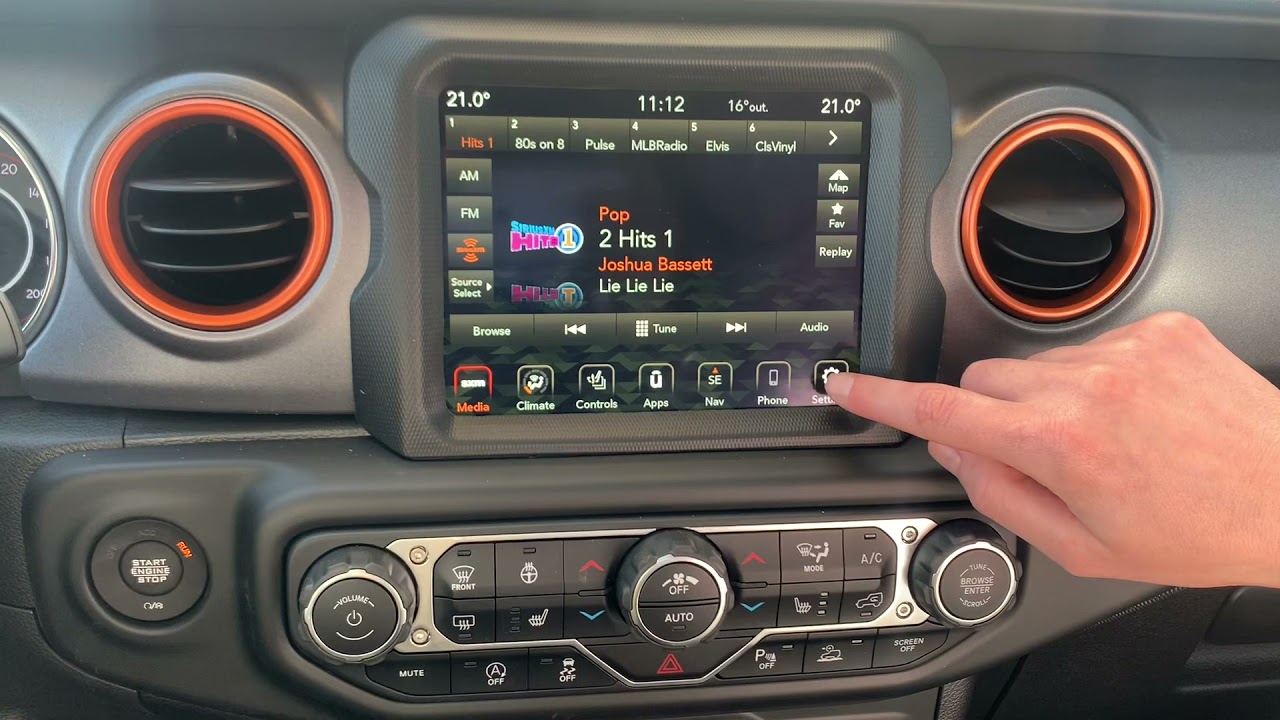
 To set up bluetooth in a U.S.-market Jeep Wrangler, park the vehicle, turn on its Uconnect system, and open Phone or the device-pairing menu. Enable Bluetooth on your iPhone or Android phone, select the vehicle’s displayed Bluetooth name, and confirm the pairing code. Older voice-operated Uconnect systems use spoken prompts instead of touchscreen menus.
The exact procedure depends on the radio installed in your Wrangler—not just the model year. This guide covers touchscreen pairing, older Uconnect voice pairing, and the checks to make when calls or music do not work.
Before You Start: Identify Your Wrangler’s Uconnect System
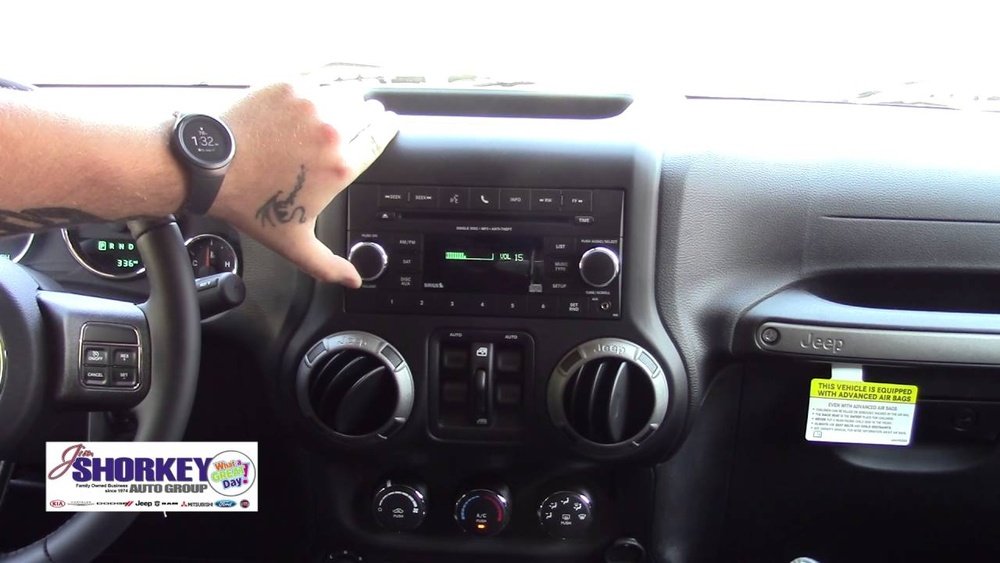
Use the controls on your dashboard to choose the correct pairing method. Uconnect is Jeep’s infotainment system, but different versions have different menus and Bluetooth capabilities.
Model year alone can be misleading. Equipment varies by trim and options, and a previous owner may have replaced the radio. The 2018 model year also included both the outgoing Wrangler JK and the newer Wrangler JL in the U.S.
| What your Wrangler has | Where to start | Important limitation |
|---|---|---|
| A touchscreen with a Phone button or app | Open Phone and look for Add Device, Pair Device, or Settings | Menu wording varies by Uconnect version |
| A newer touchscreen with a device-management menu | Open Device Manager or the connected-device settings | Bluetooth pairing and wireless smartphone projection may use related but different setup prompts |
| An older radio with an available Uconnect phone or voice-command control | Start the voice-guided phone-pairing process | Some older systems support hands-free calls without Bluetooth music streaming |
| An aftermarket radio | Follow the radio manufacturer’s Bluetooth instructions | Factory Jeep instructions may not apply |
| A radio with no Bluetooth or installed Uconnect phone capability | Verify the equipment before attempting pairing | A missing Bluetooth feature cannot be enabled simply by changing phone settings |
Before pairing, have the following ready:
- Your Wrangler safely parked, with the parking brake applied.
- The ignition in the position needed to power the radio.
- An unlocked phone with Bluetooth enabled.
- Access to the phone’s Bluetooth settings and permission prompts.
- The owner’s manual or Uconnect supplement for the installed system, if available.
Do not perform setup while driving. If you run the engine during troubleshooting, keep the vehicle outside—not in a garage or other enclosed space.
How to Pair a Phone With a Touchscreen Jeep Wrangler
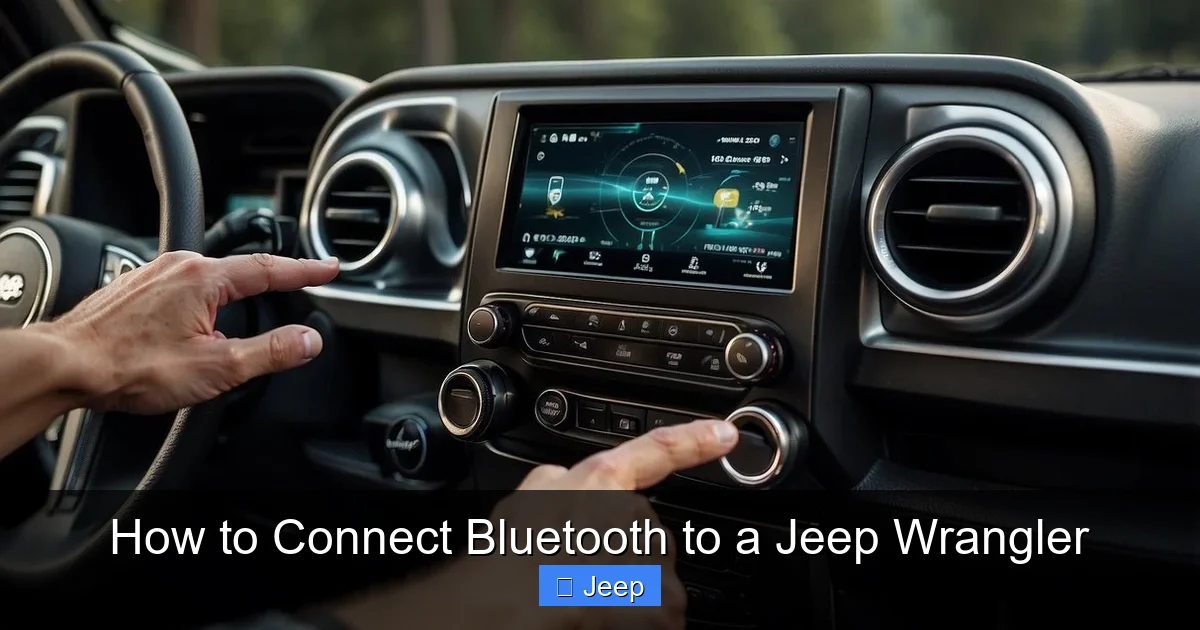
Start pairing from the Wrangler’s Phone or device-management menu, then complete the connection on your phone. Opening the vehicle’s pairing screen makes Uconnect available for discovery.
1. Open the vehicle’s phone-pairing menu
Turn on the infotainment system and select Phone.
Depending on the installed system, you may then see:
- Add Device
- Pair Device
- Settings → Paired Phones
- Device Manager → Add Device
If no phone has been paired, Uconnect may ask whether you want to add one. Accept that prompt.
If those labels do not match your screen, look in the installed system’s manual rather than assuming Bluetooth is unavailable.
2. Enable Bluetooth on your phone
On an iPhone:
- Open Settings.
- Select Bluetooth.
- Turn Bluetooth on and keep the screen open.
On an Android phone:
- Open Settings.
- Find Connected devices, Connections, or Bluetooth.
- Turn Bluetooth on.
- Select Pair new device if your phone requires it.
Android menu names vary by manufacturer and software version.
3. Select the Wrangler’s displayed Bluetooth name
Look for the vehicle in your phone’s available-device list. The name may include Uconnect, but use the name shown on the vehicle’s pairing screen.
If several vehicles or Bluetooth devices appear, match the name carefully. Do not select another nearby vehicle just because it also uses Uconnect.
4. Confirm the pairing code
Follow the prompts on both screens.
- If both screens display a code, verify that the codes match before accepting.
- If the system asks you to enter a PIN, use the PIN shown or requested by that system.
- Do not assume that 0000 or 1234 is the correct code.
Complete any confirmation required on both the phone and the radio.
5. Choose permissions and phone priority
Your phone may request permission to share contacts, call history, or messages. Allow the permissions you want to use.
Declining contact access does not necessarily prevent Bluetooth pairing, but it can keep names and phonebook entries from appearing on the vehicle’s screen.
If Uconnect offers a favorite, preferred, or priority setting, select the phone you normally use. Available options depend on the system.
6. Confirm that pairing worked
Look for your phone in Uconnect’s connected-device list. Then, while parked:
- Make a brief test call.
- Confirm that the call uses the vehicle’s speakers and microphone.
- Open a music or podcast app.
- Select Bluetooth Audio in the vehicle’s media menu, if available.
- Start playback and check the volume on both devices.
Test calls and music separately. A successful phone connection does not prove that media audio is connected—or that an older system supports Bluetooth music.
How to Pair an Older Wrangler Using Uconnect Voice Commands
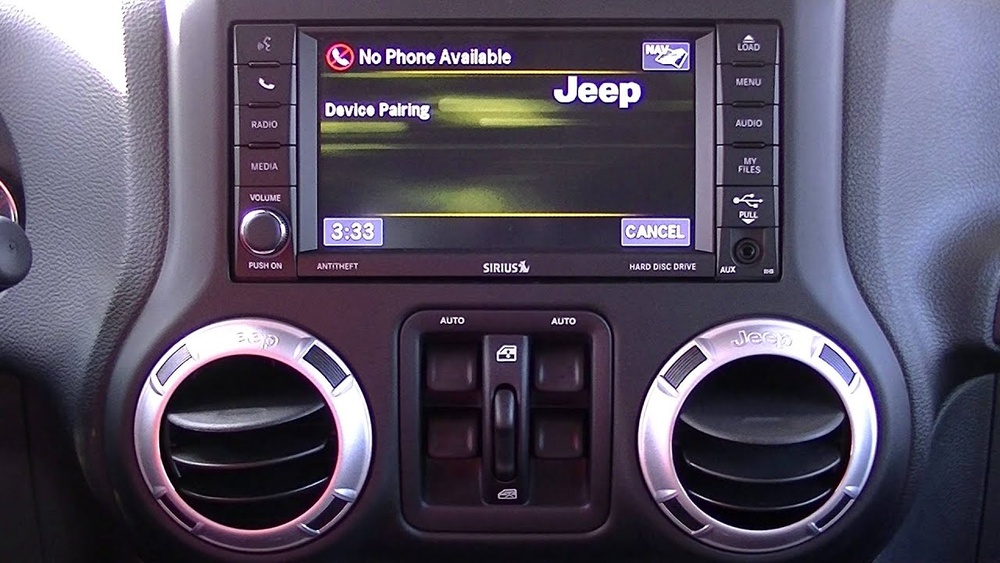
If your installed Uconnect system uses voice-guided phone setup, follow its spoken pairing prompts. This procedure applies only when the vehicle actually has the compatible Uconnect phone equipment.
- Park the Wrangler and turn on the radio.
- Press the Uconnect phone button.
- At the prompt, say “Setup.”
- Say “Phone Pairing.”
- Follow the prompt to pair a phone.
- If requested, choose and speak a four-digit PIN.
- Open Bluetooth settings on your phone and select the vehicle.
- Enter the same PIN when the phone requests it.
- Follow any remaining prompts to name the phone or assign its priority.
The exact voice-command sequence can differ. If the system does not recognize these commands, use the instructions in the Uconnect supplement for that radio.
A visible phone button does not always prove that the required hands-free hardware is installed. Some older vehicles have radio controls associated with optional equipment. If the radio indicates that Uconnect phone functionality is unavailable, verify the vehicle’s equipment rather than repeatedly attempting to pair.
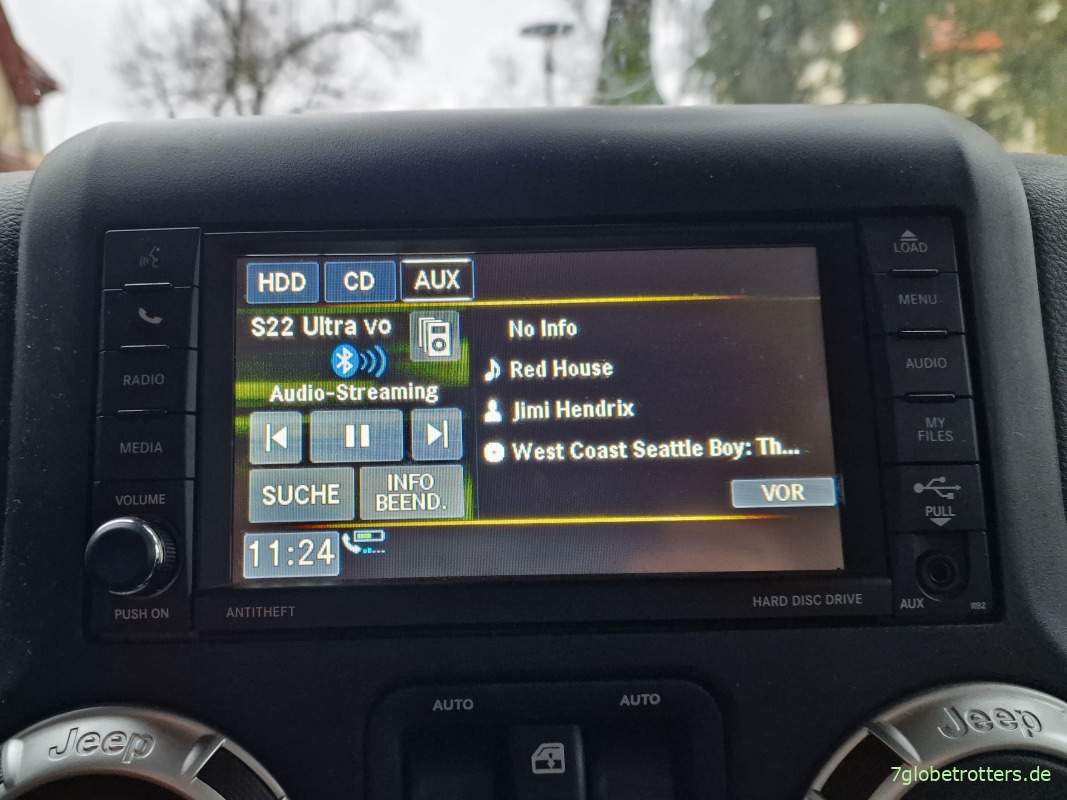
Also check whether the system supports Bluetooth streaming audio. Hands-free calling and music streaming are separate capabilities.
How to Play Music After Bluetooth Pairing
For Bluetooth music, select Bluetooth Audio as the vehicle’s media source and start playback on the connected phone. Pairing alone does not always switch the radio away from FM, satellite radio, or another source.
- Open Media on Uconnect.
- Open the source list.
- Select Bluetooth or Bluetooth Audio, if available.
- Confirm that the correct phone is selected.
- Start a song, podcast, or audiobook on that phone.
- Adjust the phone’s media volume and the vehicle’s volume.
On Android phones that provide separate Bluetooth switches, open the saved Uconnect device’s settings and check that Media audio is enabled.
If calls work but music does not, first determine whether the radio supports streaming audio. Re-pairing cannot add a feature that the installed system lacks.
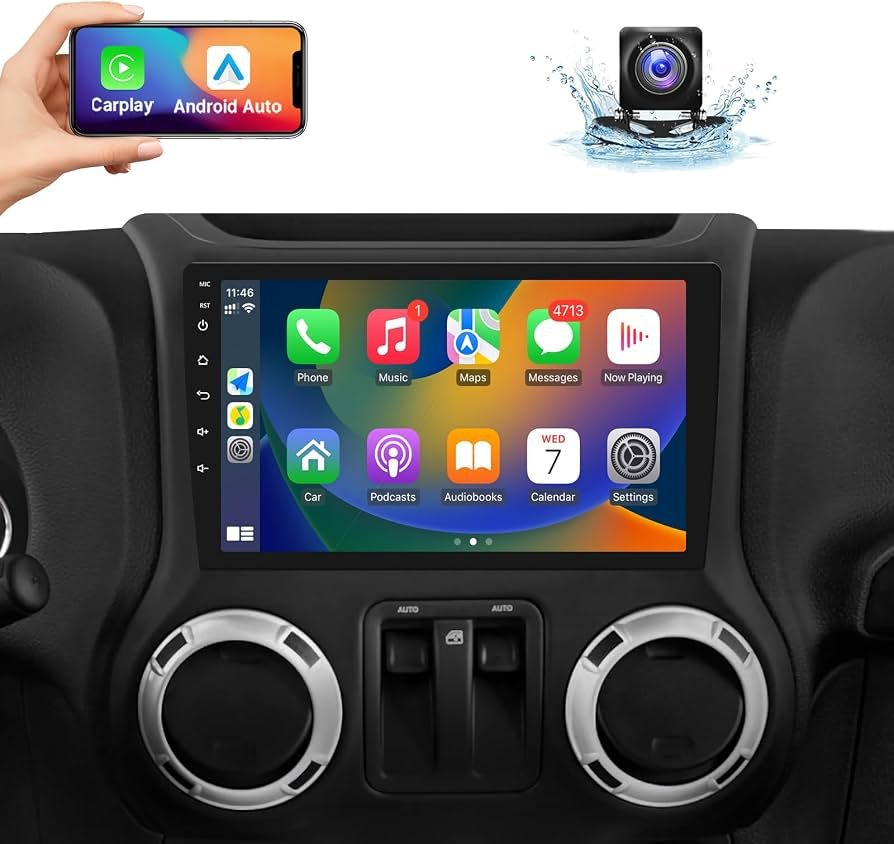
Bluetooth is not the same as Apple CarPlay or Android Auto
Bluetooth commonly handles hands-free calls and audio streaming. Apple CarPlay and Android Auto provide a separate smartphone interface for supported apps, navigation, and other functions.
Depending on your Wrangler’s equipment:
- Smartphone projection may require a compatible USB cable and the correct USB port.
- A supported wireless system may use Bluetooth to begin setup and Wi-Fi for the projection connection.
- Pairing a phone for ordinary Bluetooth use may not complete CarPlay or Android Auto setup.
Do not assume wireless CarPlay or wireless Android Auto is available because Bluetooth works. Check the installed Uconnect system’s capabilities.

Jeep Wrangler Bluetooth Troubleshooting
Check the selected device, audio source, and permissions before deleting pairings or resetting the radio. These checks are useful, reversible, and less disruptive.
Use the symptom table to identify where the connection is failing.
| Symptom | Possible cause | First useful check |
|---|---|---|
| The Wrangler does not appear on the phone | Uconnect is not in pairing mode | Open Add Device or Pair Device on the vehicle |
| Pairing fails at the code screen | Incorrect code or an expired pairing attempt | Restart pairing and follow the displayed code |
| Calls work, but music does not | Wrong media source, disabled media audio, or no streaming support | Select Bluetooth Audio and check system capability |
| Music works, but calls stay on the phone | Call audio is routed elsewhere or phone-call access is disabled | Check the call’s audio output and Bluetooth call settings |
| The wrong phone connects | Another saved phone connects first | Select the desired phone and review priority settings |
| Contacts are missing | Contact sharing was denied or synchronization is incomplete | Check permissions and allow time for synchronization |
| The connection repeatedly drops | Phone software, stored-pairing, or infotainment issues | Restart both devices and recreate the pairing |
1. Check which phone is connected
If multiple paired phones are in the Wrangler, Uconnect may connect to a device other than the one you intended.
Temporarily turn Bluetooth off on the other phones, then select your phone in the vehicle’s device list. Review preferred-device settings where available.
2. Check audio routing and permissions
For silent music, verify that:
- The vehicle is on the Bluetooth Audio source.
- Playback is actually running.
- Neither device is muted.
- The phone is not sending audio to earbuds or another device.
For calls, check the phone’s audio-output control during a parked test call and select Uconnect if necessary.
3. Restart the phone and infotainment system
Restart the phone. Turn the vehicle off and allow the infotainment system to shut down before trying again.
Shutdown behavior varies by system. Avoid repeatedly cycling the ignition or using an online button combination intended for a different Uconnect version.
4. Delete the pairing from both devices
If the connection remains unreliable:
- Remove the phone from Uconnect’s paired-device list.
- On the phone, select the saved vehicle connection.
- Choose Forget This Device, Forget, or Unpair.
- Restart the phone.
- Begin a fresh pairing from the vehicle’s Add Device menu.
Deleting the pairing on both sides helps remove mismatched saved connection information.
5. Check supported software updates
Check for phone operating-system updates and official software guidance for your particular Uconnect system.
Use Jeep or Uconnect support for vehicle software. Update procedures and eligibility vary by radio and vehicle configuration; a download intended for another system is not an appropriate substitute.
6. Escalate persistent failures
If available, try another phone to help narrow down the problem. If multiple phones fail in the same Wrangler, or the radio freezes or restarts, contact an authorized Jeep dealer or qualified automotive electronics technician.
Avoid battery disconnection, fuse removal, or a factory reset as a first troubleshooting step. Those actions can erase settings, affect other systems, or require vehicle-specific procedures.

Common Setup Mistakes to Avoid
The most common mistake is treating every Wrangler radio as the same Bluetooth system. Match the instructions to the installed equipment before changing settings.
Other mistakes include:
- Trying to pair while driving. Complete setup and testing while parked.
- Guessing the PIN. Follow the current pairing prompt.
- Assuming calls and music use the same capability. Older hands-free systems may not support streaming audio.
- Confusing Bluetooth with wireless CarPlay or Android Auto. These features have separate compatibility requirements.
- Leaving several paired phones active during troubleshooting. Another phone may connect first.
- Resetting everything immediately. Check source selection, audio routing, and permissions first.
- Installing an unofficial software update. Confirm that the update is supported for the exact radio.
Successful pairing should leave the intended phone connected, calls routed through the vehicle, and—when supported—music playing through Bluetooth Audio.
Frequently Asked Questions
Do I need a paid Uconnect subscription for Bluetooth?
Basic local Bluetooth pairing, hands-free calling, and supported Bluetooth audio do not require a paid connected-services subscription. Cellular calls and streamed content can still use your phone’s service or data plan. Remote vehicle services are separate features.
Can I pair more than one phone?
Many Uconnect systems store multiple phones, but storage limits and simultaneous-connection capabilities vary. Saving two phones does not mean both can handle the same function at once. Check your system’s device-management settings and manual.
Can passengers see my contacts after I pair my phone?
If you permit contact synchronization, contact information may appear on the vehicle’s screen. Before selling the Wrangler or returning a rental, delete your paired device and remove personal data using the system’s documented procedure. Whether information remains after disconnection depends on the system.
Will text messages appear on Uconnect?
Message features depend on the phone, operating system, permissions, and Uconnect version. Successful Bluetooth pairing does not guarantee text-message display or reply support. Allow message access only if you want to use that feature.
What if the Wrangler has an aftermarket stereo?
Use the stereo manufacturer’s instructions. Its Bluetooth name, microphone, pairing controls, and smartphone-projection features may differ from factory Uconnect. If calls connect but callers cannot hear you, the installed microphone or its connection may need inspection.
Evidence, Verification Limits, and Next-Question Coverage
The exact menu sequence must be verified against the manual for your installed radio. Live browsing, competitor-page inspection, and hands-on vehicle testing were not available for this article. The instructions therefore preserve system differences rather than claiming one universal procedure.
Official starting points for U.S. owners include:
- Jeep owner resources for vehicle manuals and ownership information.
- Uconnect support for system-specific assistance.
- Apple’s car-connection guidance for iPhone connection troubleshooting.
- Android Auto support for smartphone-projection requirements and troubleshooting.
These are verification resources, not a claim that the pages were inspected during this task. Current compatibility and software availability should be checked directly.
The following compact gap map identifies useful next needs. All are inferred from the setup task; competitor coverage was not checked.
| Next question | Reader stage and basis | Competitor coverage | Reader benefit and evidence needed | Priority and placement |
|---|---|---|---|---|
| Which pairing method fits my radio? | Before setup; inferred from equipment variation | Not checked | Prevents following incompatible instructions; verify radio manual | High; system-identification section |
| Why do calls work but music does not? | After pairing; inferred from separate audio capabilities | Not checked | Distinguishes settings problems from hardware limits; verify media support | High; music and troubleshooting sections |
| Why does another phone connect first? | Daily use; inferred from multiple saved devices | Not checked | Helps select the intended phone; verify priority options | Medium; troubleshooting section |
| Does Bluetooth enable wireless CarPlay? | After pairing; inferred from overlapping setup terms | Not checked | Prevents unsupported compatibility assumptions; verify projection specifications | High; smartphone-projection subsection |
| How do I remove personal information? | Before vehicle transfer; inferred privacy need | Not checked | Reduces exposure of stored information; verify deletion procedure | Medium; FAQ |
This article serves as a standalone setup guide. No site map was supplied, so parent and neighboring pages have not been assumed.
Conclusion
To set up Bluetooth in your Jeep Wrangler, identify the installed Uconnect system, begin pairing from the vehicle, select its displayed name on your phone, and confirm the code. Then test calls and Bluetooth music separately while parked.
If setup fails, check the active phone, audio source, and permissions before deleting the pairing on both devices. For menus that do not match—or persistent failures—use the exact radio’s manual or official Uconnect support.


