

How To Reset Auto Start Stop On Jeep Gladiator JT: Guide
 Reading Time: 10 minutes
On a U.S.-market Jeep Gladiator JT, you can reset the Auto Start-Stop system by turning the ignition off and restarting the Jeep. If you only want to stop the engine from shutting off at traffic lights, press the Auto Start-Stop OFF button marked with an “A” inside a circular arrow. The system normally turns back on during the next ignition cycle.
If the dashboard shows “Stop/Start Unavailable,” “Stop/Start Not Ready,” or a related warning, the button will not repair the fault. The message may point to a low battery, a battery sensor issue, engine temperature, climate-control demand, or another operating condition.
What the Auto Start-Stop System Does
The Jeep Gladiator’s Auto Start-Stop system, often called ESS, can shut off the engine when the vehicle stops. It may restart the engine when you release the brake or begin moving.
The system is designed to reduce fuel use during repeated stops. It does not operate at every stop. The Jeep checks several conditions before it allows an automatic engine shutoff.
Common conditions include:
- The engine has reached a suitable operating temperature.
- The battery has enough charge.
- The hood is fully closed.
- The driver’s door is closed.
- The driver’s seat belt is fastened.
- The transmission is in the correct gear.
- The climate-control system does not need the engine to run.
- The vehicle is not in a condition that requires extra engine power.
- The vehicle is not on a steep grade or in another restricted operating state.
A message that says the system is “not ready” does not always mean that a part has failed. It may simply mean that one required condition has not been met.

How to Reset Auto Start-Stop on a Jeep Gladiator
Use this basic reset when the Auto Start-Stop feature does not operate as expected but no serious warning remains on the instrument panel.
Step 1: Park the Jeep safely
Stop on a level surface when possible. Place the transmission in Park if your Gladiator has an automatic transmission. Apply the parking brake before working through any checks.
Do not try to diagnose the system in moving traffic.
Step 2: Turn the ignition off
Switch the Jeep fully off. If the engine has just been working hard, allow it to shut down normally.
Make sure the vehicle is completely off rather than left in an accessory mode.
Step 3: Wait briefly
Wait for a short period before restarting. This gives the vehicle’s control modules time to shut down.
You do not normally need to disconnect the battery for a basic reset.
Step 4: Restart the Jeep
Start the Gladiator normally. Check the instrument cluster for warning messages.
If the system was unavailable because of a temporary condition, the Auto Start-Stop feature may return after the engine warms up and the battery reaches the required charge level.
Step 5: Test the system under normal conditions
Drive normally and allow the engine and battery to reach operating temperature. Stop with the brake applied and watch the instrument panel.
The system may not activate on the first stop. Several operating conditions can prevent an automatic stop.
How to Turn Auto Start-Stop off
press the Auto Start-Stop OFF button on the dashboard. The button usually shows a capital A surrounded by a circular arrow.
When the system is disabled, the instrument cluster should display an indication that Auto Start-Stop is off. The exact wording and symbol can vary by model year and equipment.
This is a temporary setting. On most Jeep Gladiator JT models, Auto Start-Stop turns back on the next time you start the Jeep. Pressing the button again restores the normal system setting during the current drive.
Important distinction
The button does not reset a fault. It only tells the vehicle not to use the automatic engine-stop function during that ignition cycle.
If the Jeep shows a persistent warning, turning the feature off may hide the symptom for that drive without fixing the cause.

What to Check When Auto Start-Stop Says “Unavailable”
A “Stop/Start Unavailable” message often results from a condition that prevents the engine from shutting off. Start with the simple checks below.
Check the battery condition
A weak battery is one of the most common reasons for Auto Start-Stop problems. The system needs enough battery power to restart the engine and support the vehicle’s electrical systems.
Battery problems are more likely after:
- The Jeep sits for a long period.
- The battery is several years old.
- The vehicle has repeated short trips.
- Cold weather reduces battery performance.
- Accessories have been left on.
- The Jeep has had a recent jump-start.
- The engine cranks slowly.
The Gladiator may use more than one battery, depending on the engine and configuration. A battery test should cover the relevant starting and auxiliary battery system, not just the battery that is easiest to reach.
A voltage reading by itself may not prove that a battery is healthy. A proper battery and charging-system test is more useful.
Check the hood and doors
The Auto Start-Stop system will not operate if the hood is not fully closed. Check that the hood latches correctly.
The system can also remain unavailable if the driver’s door is open or the driver’s seat belt is not fastened.
Check the climate-control demand
High heating or air-conditioning demand may prevent an automatic stop. The system may keep the engine running so the cabin can maintain the selected temperature.
This is normal behavior. Try the test again after the cabin reaches a comfortable temperature.
Allow the engine to warm up
A cold engine may keep running even when the Jeep is stopped. Drive until the engine reaches normal operating temperature, then test the system again.
Do not idle the Jeep for a long time just to force the system to activate.
Look for other warning lights
Do not treat the Auto Start-Stop message as an isolated problem if other warnings appear.
Pay attention to:
- Check Engine light
- Battery or charging warning
- Electronic Throttle Control warning
- Transmission warning
- Oil-pressure warning
- Brake warning
- ABS or stability-control warning
A warning in another system may prevent Auto Start-Stop from working.
Does Disconnecting the Battery Reset the System?
Disconnecting the battery is not the recommended first step for resetting Auto Start-Stop on a Jeep Gladiator JT.
Battery disconnection can:
- Erase radio and vehicle settings.
- Create new warning messages.
- Interrupt window or clock settings.
- Hide useful diagnostic information.
- Fail to repair a weak battery or sensor fault.
- Cause problems if the battery is disconnected incorrectly.
The Gladiator may also have an intelligent battery sensor and, on some configurations, an auxiliary battery arrangement. Incorrect battery service can create additional electrical problems.
If a battery has been replaced, use the correct battery type and rating for the vehicle. Have the charging system and battery-monitoring system checked if the Auto Start-Stop warning remains.
How to Reset Auto Start-Stop After Battery Replacement
After a battery replacement, start the Jeep and check whether the warning disappears after normal driving. Some systems need time to measure battery condition before Auto Start-Stop becomes available again.
If the message remains, the vehicle may need:
- Verification that the correct battery or batteries were installed.
- Inspection of the battery terminals and ground connections.
- Testing of the main and auxiliary battery systems, if equipped.
- Inspection of the intelligent battery sensor.
- A scan of the body and powertrain control modules.
- A battery-monitoring reset or relearn procedure, if required by the vehicle’s service information.
The exact procedure can vary by model year, engine, and battery configuration. A qualified Jeep technician can use a scan tool and the correct service information rather than relying on a generic reset sequence.
Can You Permanently Disable Auto Start-Stop?
The factory dashboard button usually disables Auto Start-Stop only for the current ignition cycle. The system normally reactivates when the Jeep is started again.
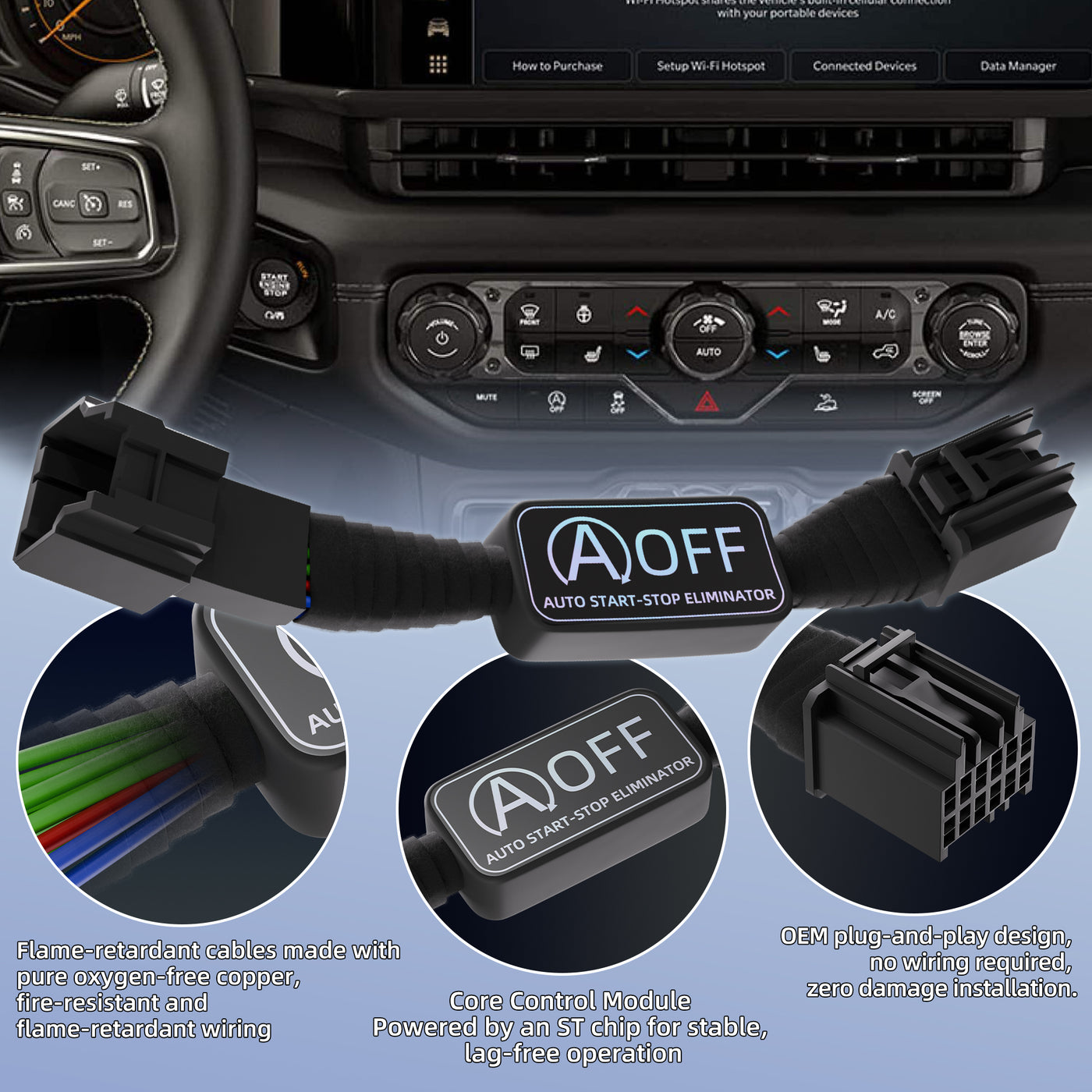
A permanent disable may involve aftermarket devices or software changes. These methods are not the same as a factory reset and may affect:
- Warranty coverage
- Diagnostic testing
- Battery management
- Emissions-related operation
- Vehicle software updates
- Safety or control-module functions
Avoid changing wiring or bypassing battery sensors without a service procedure made for the exact Gladiator model. A modification that stops Auto Start-Stop may also create warning lights or charging problems.

Auto Start-Stop Symptoms and Likely Causes
The following table helps separate normal operation from a possible fault.
| Symptom | More likely explanation | Recommended action |
|---|---|---|
| Engine does not stop at a stop sign | Battery, temperature, HVAC, belt, door, hood, or driving condition is not suitable | Continue driving and check the basic conditions |
| Auto Start-Stop works sometimes | The system is responding to changing operating conditions | This can be normal |
| “Stop/Start Not Ready” appears briefly | A temporary condition is preventing an automatic stop | Check battery charge, engine temperature, and climate demand |
| “Stop/Start Unavailable” remains after several drives | Battery, sensor, wiring, or control-system issue may exist | Have the system scanned and tested |
| Battery warning also appears | Charging-system or battery fault may be present | Stop using unnecessary electrical loads and seek service |
| Check Engine light appears | Another powertrain problem may be blocking Auto Start-Stop | Scan the vehicle rather than repeatedly resetting it |
| System stops working after battery replacement | Wrong battery, low charge, sensor issue, or required relearn may be involved | Verify installation and obtain a battery-system test |
The key point is that intermittent operation is often normal, while a persistent warning or multiple warning lights deserve diagnosis.
When to Stop Driving and Seek Service
Do not keep driving just to test Auto Start-Stop if the Jeep shows a serious warning.
Seek prompt professional help if you see:
- A red battery or charging warning
- Low oil pressure
- Overheating
- A brake warning
- Severe engine misfire
- An electrical burning smell
- Repeated failure to start
- Loss of power or unstable engine operation
A Jeep that starts and drives normally may still need service for a persistent Auto Start-Stop fault. The feature itself is not required for normal driving, but the warning can point to a battery or charging issue that may later affect starting.
Common Reset Mistakes to Avoid
Pressing the OFF button and expecting a repair
The OFF button only disables the feature temporarily. It does not clear stored fault codes or fix a weak battery.
Replacing only one battery without testing the system
Some Gladiator configurations use a main battery and an auxiliary battery. Replacing the wrong battery may leave the original problem in place.
Repeatedly disconnecting the battery
This can erase information that a technician needs and may create extra electrical faults.
Assuming every warning is caused by Auto Start-Stop
The system may be unavailable because another vehicle system has reported a problem. Scan the Jeep if the warning persists.
Using a generic battery
Battery type, capacity, and charging behavior matter. Use the specification listed for the exact Gladiator engine and model year.
Frequently Asked Questions
How do I reset the Auto Start-Stop light on my Jeep Gladiator?
Turn the Jeep off, wait briefly, and restart it. If the light or warning returns, check the battery, hood, seat belt, doors, engine temperature, and climate-control demand. A persistent warning needs a diagnostic scan.
Why does my Jeep Gladiator Auto Start-Stop say “Not Ready”?
The battery may not have enough charge, the engine may be cold, or the climate-control system may need the engine to run. The hood, driver’s door, and seat-belt status can also affect operation.
Does pressing the Auto Start-Stop button permanently turn it off?
No. The button normally disables the feature only for the current drive. Auto Start-Stop usually becomes active again after the next restart.
Can a low battery cause Auto Start-Stop to stop working?
Yes. The system may block an automatic engine stop when battery charge or battery condition is below the required level. A battery load test and charging-system test are more useful than a simple voltage check.
Will disconnecting the battery clear the Auto Start-Stop warning?
It may not. Disconnecting the battery does not repair a failed battery, sensor, wiring fault, or stored control-module problem. It can also erase settings and diagnostic information.
Is it safe to drive with Auto Start-Stop unavailable?
If the Jeep runs normally and no serious warning lights appear, the vehicle may remain drivable without the feature. However, a persistent message should be checked, especially if a battery, charging, engine, or brake warning appears.
Conclusion
To reset Auto Start-Stop on a Jeep Gladiator JT, turn the ignition off, wait briefly, and restart the vehicle. For a temporary disable, press the Auto Start-Stop OFF button. If the system continues to show “Unavailable” or “Not Ready,” check the battery system and basic operating conditions instead of repeatedly disconnecting the battery.
The best next step is a proper battery, charging-system, and diagnostic scan if the warning remains after several normal drives.