
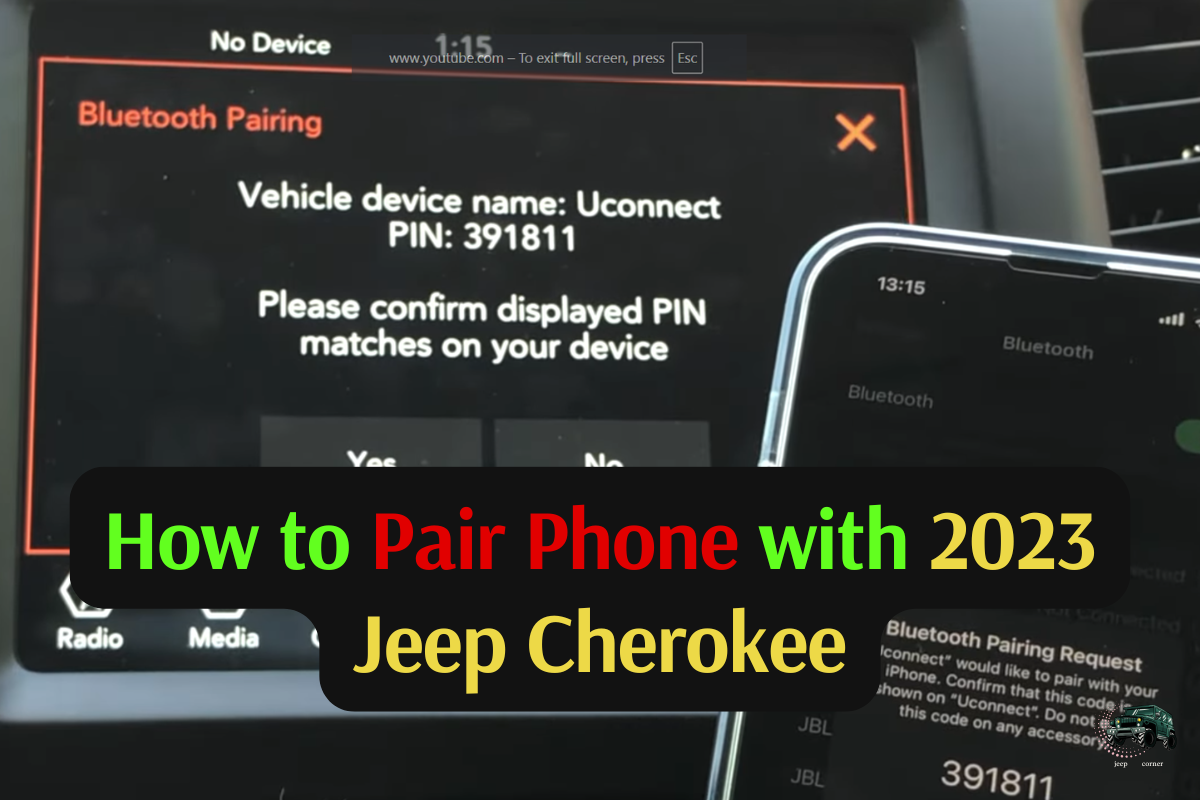
My Road Trip Rescue: How to Pair Phone with 2023 Jeep Cherokee
 Reading Time: 7 minutes
 I still remember the crisp air last Tuesday morning. I was sitting in my driveway, coffee in hand, ready for a long solo drive to the mountains. I had my snacks, my sunglasses, and a killer playlist ready to go. There was just one tiny problem. My new ride was acting shy. I spent ten minutes staring at the screen, wondering why my tech wasn’t talking to my car.
If you are currently sitting in your driver’s seat feeling that same itch of frustration, take a deep breath. Learning how to pair phone with 2023 Jeep Cherokee is actually quite simple once you find the right rhythm. The Uconnect 5 system in this Jeep is a beast, but like any good beast, it needs a gentle nudge to get moving.
Why Your Jeep and Phone Need a Handshake
Modern driving is all about the link between your pocket and your dashboard. For me, it isn’t just about music. It is about safety. I hate fumbling for a device while trying to navigate a tricky highway exit. When you get the pairing right, everything just flows. You get your maps, your texts read aloud, and your favorite tunes without lifting a finger from the wheel.
The 2023 Cherokee uses the Uconnect 5 system. It is faster and sleeker than older versions, but it can be a bit picky about the initial setup. I learned the hard way that skipping a single step can lead to a “device not found” error that will make you want to honk the horn in annoyance.
The Pre-Flight Check: What You Need First
Before we dive into the buttons, let’s make sure your gear is ready. I tried to pair mine while my phone was in “Battery Saver” mode, and it was a total flop. My phone was trying to save power by hiding its Bluetooth signal. Talk about a face-palm moment.
Essentials for a Smooth Connection
- Your Phone: Make sure Bluetooth is turned on in your settings.
- The Vehicle: Your Jeep must be in “Park.” The system locks out pairing while you are moving for safety.
- The Environment: Try to stay away from other strong Wi-Fi signals or other paired cars if you are in a crowded garage.
| Item | Requirement | Why it Matters |
| Phone Battery | Above 20% | Prevents Bluetooth drops |
| Vehicle Gear | Park (P) | Safety lockout prevents menu access |
| Uconnect Version | Uconnect 5 | Standard for 2023 Cherokee models |
| Cable (Optional) | High-quality USB-C | Best for initial Apple CarPlay or Android Auto setup |
Step-by-Step: How to Pair Phone with 2023 Jeep Cherokee
Let’s get into the heart of it. This is exactly what I did after I finally put my coffee down and focused.
1. Wake Up the Uconnect System
Push the start button to put your Jeep in “Accessory” mode or start the engine. Wait for the big touchscreen in the center to glow to life. On the bottom bar of the screen, you will see a series of icons. Look for the one that says Phone or Device Manager.
2. Add Device
Tap on Device Manager. You will likely see a big plus sign or a button that says Add Device. Once you tap that, the Jeep starts “listening” for your phone. It’s like the car is shouting, “Hey, is anyone out there?” into the digital void.
3. Open Your Phone Settings
On your smartphone, go to your Settings and then Bluetooth. You should see a list of available devices. Look for “Uconnect” or “Jeep” in that list. When I did this, it popped up almost instantly. Tap on that name.
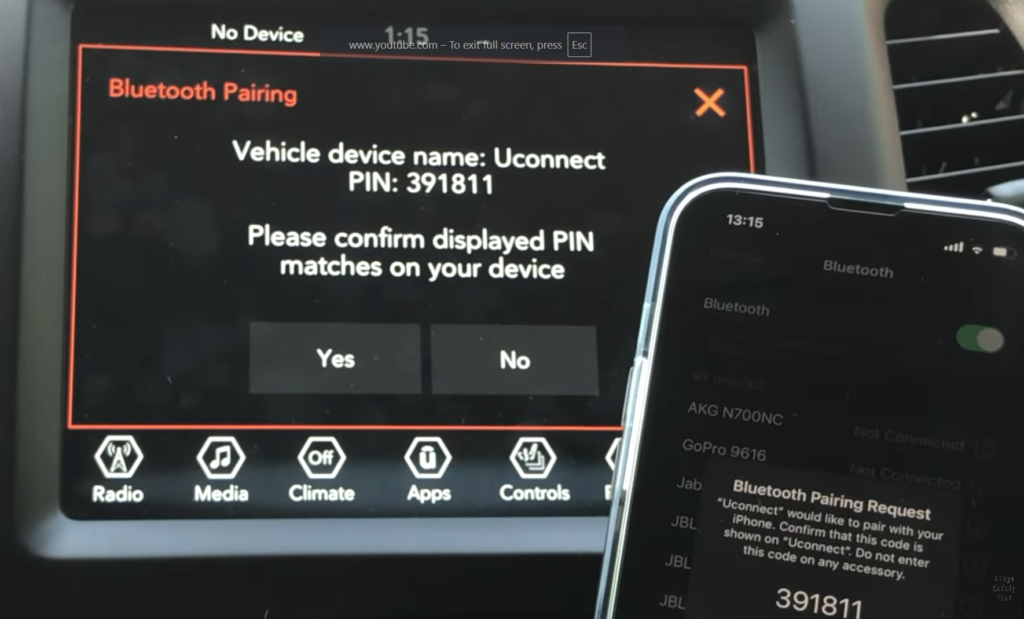
4. Confirm the Pin
This is the part that feels like a secret handshake. A six-digit code will appear on your Jeep screen and your phone screen at the same time. Check them. If they match, hit Pair on your phone and Yes on the Jeep screen.
5. Allow Contacts and Messages
Your phone will ask if you want to share your contacts. I highly suggest saying “Allow.” If you don’t, you won’t be able to use voice commands to call your mom or your boss. Trust me, trying to remember a phone number while driving is a recipe for a missed turn.
Going Wireless: Apple CarPlay and Android Auto
One of my favorite things about the 2023 model is the wireless integration. In my old car, I had wires tangling around my gear shifter like a nest of snakes. Now, it’s all clean.
After the Bluetooth is set up, the Jeep will usually ask if you want to use Apple CarPlay or Android Auto. Tap “Use CarPlay” or “Enable Android Auto.” Your phone might ask for one more confirmation. Once you do that, your phone’s familiar home screen appears right on the Jeep’s dash. It feels like magic every single time.
Troubleshooting: When Things Go Sideways
It isn’t always sunshine and rainbows. About three days after my first successful sync, my phone decided it didn’t want to play nice. I climbed into the cabin, expected my music to start, and… silence. Just the sound of the wind.
If you are struggling with how to pair phone with 2023 Jeep Cherokee, here are the common gremlins I encountered:
The “Ghost” Connection
Sometimes the phone thinks it is connected, but the car disagrees.
- The Fix: Go into your phone’s Bluetooth settings, find “Uconnect,” and select “Forget This Device.” Then, go into the Jeep’s Device Manager and delete your phone. Start the process from scratch. It’s the “turn it off and back on again” of the car world.
Software Updates
Believe it or not, your car has software that needs updates just like your phone. If your Uconnect system is glitchy, check if there is an Over-the-Air (OTA) update waiting. I found that after a quick system update, my connection speed doubled.
Cable Issues
Even though the 2023 Cherokee supports wireless, sometimes the system gets confused. If the wireless won’t bite, plug in a high-quality USB-C cable. Often, a “wired” handshake fixes the wireless issue for future trips.
| Common Problem | Quick Symptom | The Easy Solution |
| No Sound | Phone says connected, but no audio plays | Check “Media” source on Uconnect screen |
| Pairing Failed | Code doesn’t appear | Restart phone and Jeep; try again in Park |
| Laggy Maps | Navigation screen freezes | Close all apps on your phone and restart CarPlay |
| Contact Sync Error | Names show as numbers | Delete device and re-pair; click “Allow” on pop-up |
Making the Most of Your Connected Jeep
Once I got my phone paired, the 2023 Jeep Cherokee felt like a completely different vehicle. I started using the voice recognition button on the steering wheel constantly. You can just tap it and say, “Find the nearest gas station,” or “Play some classic rock.”
I also noticed that the Uconnect 5 allows for two phones to be connected at once. This was a lifesaver when my friend joined me for a weekend trip. I could have my maps running on the screen while he controlled the music from his phone. No more fighting over the “Aux cord”—not that those even exist anymore!
Personal Tips for a Better Experience
After living with this setup for a while, I’ve picked up a few habits that keep the tech running smoothly:
- Keep your phone updated: Most “connection issues” are actually bugs in the phone’s operating system, not the car.
- Clean your screen: Fingerprints on the Uconnect screen can actually make it less responsive. A quick wipe with a microfiber cloth makes a world of difference.
- Don’t panic: If the screen freezes, hold the volume knob and the tune knob down at the same time for about 10-20 seconds. This reboots the system without you having to pull over and restart the whole car.
The Joy of the Open Road
There is a specific kind of peace that comes with a well-organized cockpit. When I finally cleared the city limits on that Tuesday morning, my phone was tucked away in the wireless charging pad. My maps were clear, my music was crisp, and I didn’t have to look at a single notification.
Understanding how to pair phone with 2023 Jeep Cherokee isn’t just a technical task. It’s the final step in making the car truly yours. It turns a piece of machinery into a personal hub that knows your favorite routes and your favorite songs.
If you are still having trouble, don’t be afraid to visit your local dealer. Sometimes a quick “flash” of the car’s computer system is all it needs. But in most cases, a little patience and following the steps above will get you back on the road in no time.
Now, stop reading, get in your Jeep, and go find a road worth driving. Your playlist is waiting.
![How To Bypass Transponder Key in Jeep? [2 Simple Methods]](https://jeepcorner.com/wp-content/uploads/2023/12/How-To-Bypass-Transponder-Key-in-Jeep-768x448.png)