How To Program Jeep Cherokee Garage Opener: Easy Guide
 Reading Time: 11 minutes
 Programming a garage door opener in a U.S.-spec Jeep Cherokee usually means pairing the vehicle’s built-in HomeLink® buttons with your garage door motor. The basic process is to clear old codes if necessary, train a HomeLink button with your handheld remote, and then synchronize that button with the opener’s Learn, Program, or Smart button.
The exact button location and indicator-light behavior vary by Jeep Cherokee model year and equipment package. HomeLink controls may be located on the overhead console, rearview mirror, or sun visor. Always keep the vehicle stationary, keep people and objects away from the moving garage door, and use the owner’s manual for your specific Cherokee when the button layout differs.
Before You Program the Jeep Cherokee HomeLink System
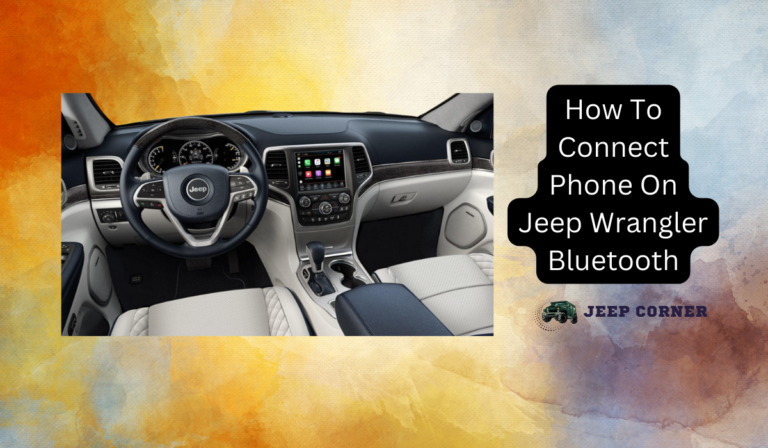
Before starting, confirm that your Jeep Cherokee has an integrated HomeLink system and gather the correct garage door remote. A compatible vehicle may have three small buttons with a status light near the rearview mirror, overhead console, or visor.
You will generally need:
- The Jeep Cherokee parked outside the garage
- The handheld garage door remote
- A working battery in the remote
- The garage door opener motor’s Learn or Program button
- The Jeep ignition set to the required operating position
- A clear area around the garage door
Do not start the process while the door is moving. Park the Cherokee where you can safely reach the opener motor if you need to press its Learn button. On some garage door openers, the Learn button is located under the motor housing, near the antenna wire, or behind a light cover.
What Is HomeLink?
HomeLink is a built-in wireless control system that can operate compatible devices such as:
- Garage door openers
- Community entrance gates
- Automatic gates
- Some home lighting systems
The buttons do not usually transmit a universal code automatically. They must first learn the signal from your original handheld remote. Newer garage door openers often use rolling-code security, which requires an additional pairing step at the opener motor.
Identify Your Cherokee’s HomeLink Buttons
Depending on the vehicle’s trim and model year, HomeLink buttons may be:
- On the overhead console
- Beneath or near the rearview mirror
- On the driver-side sun visor
- Integrated into a mirror assembly
If your Cherokee has no HomeLink buttons, you may need to use the handheld remote or install a compatible aftermarket vehicle transmitter. A Jeep key fob’s remote-start or lock buttons are not automatically the same as HomeLink controls.
How to Program a Jeep Cherokee Garage Door Opener
For most Jeep Cherokee models with HomeLink, the programming process has two stages: teach the vehicle the remote’s signal, then complete rolling-code synchronization if the garage opener requires it.
Step 1: Turn the Ignition On
Sit in the Jeep Cherokee and switch the ignition to the position specified by the vehicle manual. On push-button models, this may mean pressing the ignition button without starting the engine, or starting the vehicle if the manual requires it.
Keep the transmission in Park. Do not attempt the procedure while driving or while the garage door is in motion.
Step 2: Decide Whether to Erase existing HomeLink Codes
If the Cherokee is new to you, the HomeLink buttons may still contain the previous owner’s programming. You can either overwrite a single button or erase all stored codes, depending on the system.
To erase all HomeLink programming, many systems require pressing and holding the two outside HomeLink buttons until the indicator light changes, often after approximately 20 seconds. The exact timing and light pattern can vary, so check the Cherokee owner’s manual before using this step.
Erasing the buttons is useful when:
- You bought the vehicle used
- You do not know which devices are programmed
- A button repeatedly operates the wrong device
- You want to remove the previous owner’s access
Do not erase the system if you still need other programmed devices unless you are prepared to program them again.
Step 3: Position the Handheld Remote
Hold the original garage door remote about 1 to 3 inches from the HomeLink button you want to program. Keep the remote pointed toward the button or indicator area.
Avoid pressing the remote too far away. A weak remote battery, excessive distance, or incorrect alignment can prevent the Cherokee from learning the signal.
Step 4: Press the HomeLink Button and Remote Button Together
Press and hold both of the following at the same time:
- The selected HomeLink button in the Cherokee
- The button on the handheld garage door remote that opens the door
Continue holding them until the HomeLink indicator light changes. Depending on the system, the light may change from a slow blink to a rapid blink or may remain steadily illuminated.
This can take several seconds. Release both buttons once the indicator confirms that the signal has been learned.
Step 5: Test the Programmed Button
Press and hold the newly programmed HomeLink button for a few seconds.
If the garage door opens or closes, the initial programming is complete. If the button operates the opener but the indicator light behaves differently than expected, the opener may use a rolling-code system and require the next step.
If nothing happens, repeat the remote-training step with the remote held slightly closer or farther from the HomeLink buttons. Also check the remote battery.
Step 6: Pair the Cherokee With a Rolling-Code Opener
Most modern garage door openers use rolling-code technology. This security feature changes the transmitted code each time the opener is used, so the Cherokee usually must be authorized by the opener motor.
Use this general sequence:
- Locate the garage door opener motor’s Learn, Program, or Smart button.
- Press and release that button. Do not hold it longer than the opener manual specifies because some motors erase stored remotes if the button is held too long.
- Return to the Cherokee within the opener’s programming time window.
- Press and hold the programmed HomeLink button for about two seconds.
- Release the button, then press and hold it again for about two seconds.
- Repeat the press-and-hold cycle if the opener manual or HomeLink instructions require it.
- Test the HomeLink button.
The garage door opener’s indicator light may flash or the motor may click when the Cherokee is accepted. The exact timing differs among opener brands and models.
How You Know Programming Worked
Successful programming usually produces one or more of these signs:
- The HomeLink indicator changes to a rapid flash during training
- The garage door opener motor clicks or flashes after pairing
- The garage door responds when you press the Cherokee button
- The same button continues to work after the ignition is switched off
- The opener operates without the handheld remote
Do not rely solely on an indicator-light pattern. The most useful final test is whether the Cherokee reliably opens and closes the door from a normal operating distance.
How to Program a Jeep Cherokee Garage Opener Without the Original Remote
Programming is usually easiest with the original handheld remote. Without it, the procedure depends on the garage door opener.
Some openers allow you to put the motor into Learn mode and then program a compatible HomeLink system directly. Others require an original remote, a wireless keypad, a compatibility bridge, or a specific brand procedure.
Try these options:
- Check the garage opener’s owner’s manual for direct HomeLink enrollment.
- Look for a HomeLink compatibility bridge if the opener is not compatible with the Cherokee’s built-in system.
- Contact the garage opener manufacturer with the opener’s model number.
- Ask a qualified garage door technician to program the vehicle.
Avoid guessing at the opener’s Learn button sequence. A mistaken reset procedure can erase every programmed remote or keypad from the opener.
Jeep Cherokee HomeLink Programming by Vehicle Generation
The broad method is similar, but Cherokee controls and instructions can differ by model year.
| Jeep Cherokee situation | Likely programming consideration |
|---|---|
| Older Cherokee with factory HomeLink | Buttons may be located on the visor, mirror, or overhead console |
| Newer Cherokee with integrated HomeLink | The vehicle may require ignition-on programming and rolling-code synchronization |
| Used Cherokee | Clear unknown stored codes before adding your garage opener |
| Cherokee without HomeLink | Use the handheld remote or a compatible aftermarket solution |
| Garage opener with rolling code | Complete the opener-motor Learn-button step |
| Community gate or older fixed-code system | The training process may differ from a modern garage opener |
The owner’s manual is the controlling reference for your vehicle. A procedure that works on one Cherokee model year may not match another because Jeep changed the HomeLink hardware, button placement, and indicator behavior over time.
Troubleshooting Jeep Cherokee Garage Door Opener Programming
When programming fails, start with the simplest likely cause: the remote, its battery, button selection, or the distance between the remote and HomeLink.
The HomeLink Light Does Not Change
Possible causes include:
- The wrong buttons were pressed
- The remote battery is weak
- The remote is too far from or too close to the HomeLink buttons
- The ignition is not in the correct position
- The HomeLink memory is full or contains an old code
- The vehicle is not equipped with HomeLink
Try replacing the handheld remote battery, repositioning the remote, and repeating the training sequence. If the light never responds, confirm the vehicle’s manual procedure and equipment.
The HomeLink Button Learns the Remote but Does Not Open the Door
This usually indicates that the opener uses rolling-code security and has not yet accepted the Cherokee.
Repeat the opener-motor Learn-button procedure. Press and release the Learn button rather than holding it unless the opener manual specifically instructs otherwise. Then return to the Cherokee and complete the HomeLink button sequence within the allowed time.
The Garage Door Opens but Will Not Close
The HomeLink signal may be working, while the garage door system is preventing closure for another reason. Check:
- Obstructions near the door
- Misaligned photo-eye safety sensors
- Dirt or damage on the sensor lenses
- A wall control lockout or vacation setting
- A problem with the opener itself
Do not bypass or disconnect the safety sensors. If the door reverses, behaves unpredictably, or makes unusual sounds, stop using it and contact a qualified garage door technician.
The Door Operates Intermittently
Intermittent operation can result from:
- A weak vehicle or handheld remote battery
- Radio-frequency interference
- A damaged garage door opener antenna
- An unreliable garage door motor
- A HomeLink button that was not fully synchronized
- Excessive distance from the opener
Test the Cherokee from several positions outside the garage. If the handheld remote also fails from the same location, the issue is probably with the opener or remote rather than HomeLink.
The Cherokee Was Recently Serviced or the Battery Was Disconnected
A vehicle battery disconnect does not necessarily erase HomeLink programming, but vehicle electronics and stored settings can vary by model year. Test the system after service. If the button no longer works, repeat the programming procedure.
Safety Checks After Programming
After the Cherokee successfully operates the garage door, test the door’s safety features independently of the vehicle. The HomeLink system controls the opener but does not replace the opener’s required safety mechanisms.
Check that:
- The door opens and closes smoothly
- The door reverses when the opener’s safety test requires it
- The photo-eye sensors are aligned and unobstructed
- No person, pet, or object is under the door during testing
- The door does not continue moving after an obstruction is detected
- The opener’s manual wall control still works
Do not stand beneath the moving door or place yourself between the door and the floor. Garage doors are heavy mechanical systems. Contact a qualified garage door professional for broken springs, damaged cables, bent tracks, a door that falls, or an opener that runs without moving the door.
Common Mistakes to Avoid
Several mistakes make Jeep Cherokee HomeLink programming appear unsuccessful:
- Using the wrong remote button: Select the button that actually operates the garage door.
- Holding the opener’s Learn button too long: This may erase existing remotes on some openers.
- Skipping rolling-code synchronization: Training the Cherokee with the handheld remote may not be the final step.
- Programming while the door is moving: This creates a safety risk and makes results difficult to verify.
- Ignoring a weak remote battery: The remote may still work at short range but fail during HomeLink training.
- Erasing all HomeLink buttons unnecessarily: Clear the memory only when you understand which stored devices will be removed.
- Assuming every Cherokee has HomeLink: Some trims and model years may not include the feature.
- Bypassing safety sensors: Never disable the garage door opener’s safety system to make programming easier.
Key Takeaways
- Jeep Cherokee garage door programming normally uses the factory HomeLink buttons.
- Train the HomeLink button with the original handheld remote first.
- Modern rolling-code openers usually require a second pairing step at the opener motor.
- HomeLink button location and programming behavior vary by Cherokee model year.
- If programming fails, check the remote battery, button location, ignition position, and opener Learn-button sequence.
- Test the garage door’s safety reversal and photo-eye sensors after programming.
- Use the Jeep owner’s manual and garage opener manual when the general sequence does not match your equipment.
Frequently Asked Questions
Does every Jeep Cherokee have a built-in garage door opener?
No. HomeLink availability depends on the Cherokee’s model year, trim, options, and market configuration. Look for dedicated HomeLink buttons near the mirror, overhead console, or sun visor. If the buttons are absent, the vehicle may not have the factory system.
Can I program HomeLink without starting the Jeep Cherokee?
Some Cherokee models allow programming with the ignition switched on but the engine off. Others may specify a different ignition position. Follow the vehicle owner’s manual, and keep the transmission in Park.
Why does my Jeep Cherokee HomeLink button flash rapidly?
A rapidly flashing indicator often means the vehicle has learned the handheld remote signal or is ready for the rolling-code synchronization step. Confirm the exact meaning in the Cherokee and garage opener manuals because light patterns vary.
Will programming HomeLink erase my handheld garage door remote?
No. Programming the Cherokee normally adds the vehicle as another transmitter. However, using the garage opener motor’s reset or erase function may remove previously stored remotes, keypads, and vehicles.
Can I program a community gate with the same HomeLink buttons?
Often, yes, if the gate system and HomeLink are compatible. Gate systems may use different enrollment steps, access restrictions, or rolling-code procedures. Obtain permission from the property manager or gate administrator before programming access.
Conclusion
To program a Jeep Cherokee garage opener, use the vehicle’s HomeLink button and the original handheld remote, then complete the Learn-button procedure if the garage opener uses rolling-code security. Because Jeep Cherokee model years and garage opener brands differ, the owner’s manuals remain the most reliable source for button locations, indicator signals, and timing.
After programming, verify reliable operation from outside the garage and test the garage door’s safety features. If the Cherokee will not pair after checking the remote battery, HomeLink memory, and rolling-code sequence, contact the opener manufacturer, a Jeep dealer, or a qualified garage door technician.