How to Add Vehicle to Jeep App: A Step-by-Step Guide
 Reading Time: 7 minutes
 Using your Jeep vehicle becomes easier when you connect it with the official Jeep app. Many new owners don’t realize how much control and information the app provides. With the Jeep app, you can find your car, check status, and even start it remotely. But before you enjoy these features, you must add your vehicle to the app. This process can feel confusing, especially for beginners. In this guide, you’ll learn simple, clear steps to add your Jeep to the app, plus tips that most first-timers miss.
Why Add Your Vehicle To The Jeep App?
Adding your vehicle unlocks powerful features:
- Remote start and lock/unlock: Control your Jeep from your phone.
- Vehicle health reports: See if you need maintenance.
- Find your car: Useful in big parking lots.
- Trip history: Track past journeys.
- Roadside assistance: Get help faster in emergencies.
You also get software updates and can book services. These features save you time and keep your Jeep safer.
What You Need Before You Start
Before adding your Jeep vehicle to the app, gather a few things:
- Jeep app installed: Download from the App Store or Google Play.
- Jeep account: Sign up using your email.
- Vehicle Identification Number (VIN): Usually found on the dashboard or registration.
- Access to your Jeep: Some steps require being near your vehicle.
Having these ready speeds up the process. Many beginners forget the VIN, which causes delays.
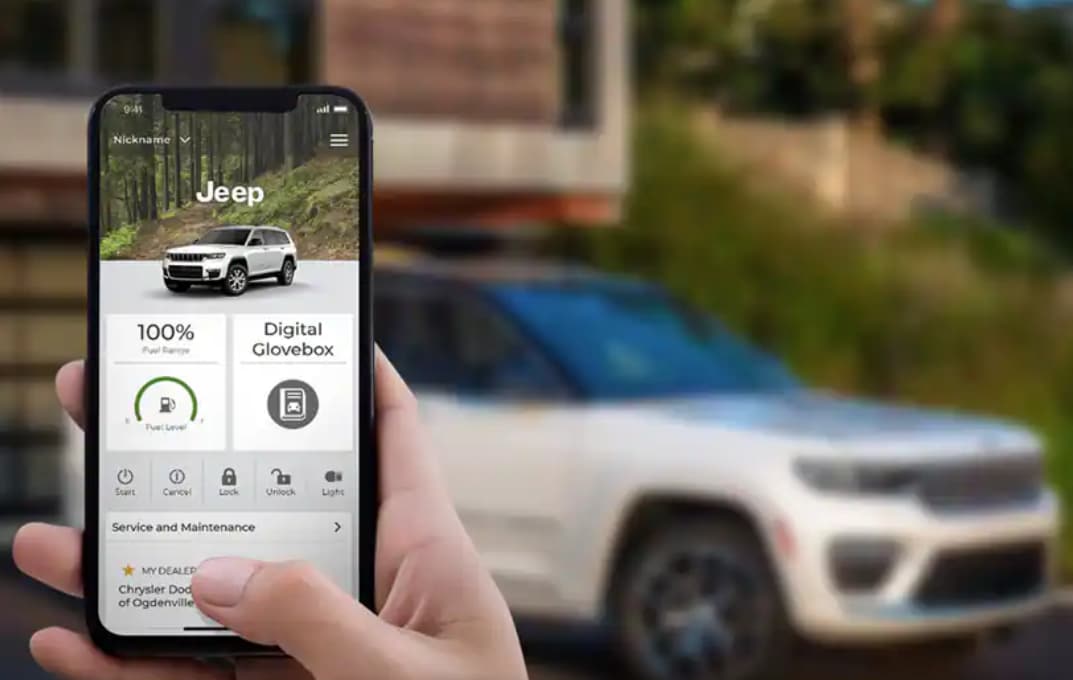
Credit: www.kellyjeepchrysler.net
Step-by-step: How To Add Your Vehicle To The Jeep App
Follow these steps to add your Jeep:
- Open the Jeep app on your smartphone.
- Log in using your Jeep account. If you don’t have one, tap “Sign Up” and follow the prompts.
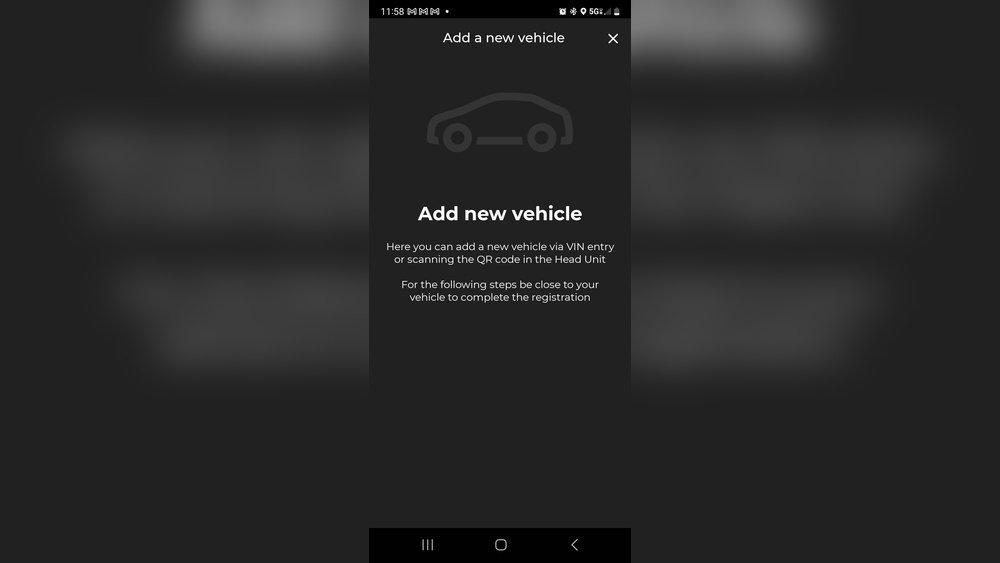
- On the home screen, look for “Add Vehicle” or “+” sign.
- The app will ask for your VIN. Enter it carefully.
- Confirm your vehicle details (model, year, color) to make sure everything matches.
- The app may send a verification code to your email or phone. Enter this code to continue.
- Some vehicles require you to be inside with the key fob. The app will guide you if this is needed.
- After verification, your Jeep appears in the app dashboard.
- Test remote features (lock, unlock) to ensure everything works.
Tip: If the app gives an error, double-check your VIN and internet connection. Some errors happen because of a wrong character in the VIN (like using the letter “O” instead of zero “0”).
Common Problems And How To Solve Them
Many new users face these issues:
- VIN not recognized: Make sure your Jeep is supported and the VIN is correct.
- Email not received: Check your spam folder for the verification code.
- Vehicle already linked: The previous owner may not have removed the car from their account. Contact Jeep support to fix this.
- App crashes: Restart your phone or reinstall the app.
If you’re stuck, visit your dealer or use the Jeep support line for help.
Comparing Jeep App With Other Car Apps
Here’s how the Jeep app features compare with other brands:
| Feature | Jeep App | FordPass | myChevrolet |
|---|---|---|---|
| Remote Start | Yes | Yes | Yes |
| Vehicle Health | Yes | Yes | Yes |
| Find My Car | Yes | Yes | No |
| Maintenance Alerts | Yes | Yes | Yes |
| Roadside Assistance | Yes | Yes | Yes |
The Jeep app gives you features similar to other popular car brands, so you aren’t missing out.
What Is The Vin And Where To Find It?
The Vehicle Identification Number (VIN) is a unique 17-character code. It identifies your specific Jeep. You need this to add your car to the app.
Where to find the VIN:
- On the dashboard, near the windshield (driver’s side).
- Inside the driver’s door frame.
- On your registration or insurance documents.
Example VIN: 1C4HJXDG0MW123456
Be careful: The VIN uses only numbers and capital letters. Avoid mixing up “0” (zero) and “O” (letter O).
How Secure Is The Jeep App?
Your car’s security is important. The Jeep app uses encryption to protect your data. Only someone with your account password and email can access your vehicle details.
Security tips:
- Use a strong password for your Jeep account.
- Don’t share your login with others.
- Log out of the app if you change phones.
If you lose your phone, use the Jeep website to change your password quickly.
Features You Unlock After Adding Your Vehicle
Once your Jeep is added, you get:
- Remote engine start: Warm up or cool down your Jeep before driving.
- Lock and unlock doors: Useful if you forget your keys.
- Check fuel and tire pressure: See important info without opening the hood.
- Location tracking: Find your Jeep on the map.
- Maintenance scheduling: Book service from your phone.
Most users don’t realize you can also get driving history or send destinations to your Jeep’s navigation system.
Real-world Example: Adding A 2022 Jeep Grand Cherokee
Let’s say you own a 2022 Jeep Grand Cherokee. Here’s how you’d add it:
- Install the Jeep app.
- Create your account using your email.
- Enter the VIN from your dashboard.
- The app shows “2022 Grand Cherokee” and its color.
- After confirming, you see options like “Remote Start” and “Vehicle Location.”
- You test “Lock” and hear the car beep in your driveway.
This process usually takes 5–10 minutes if you have all info ready.
Data Table: Setup Time And Common Errors
Here’s what most new Jeep owners experience:
| Step | Average Time (minutes) | Common Error Rate (%) |
|---|---|---|
| Download App & Sign Up | 3 | 5 |
| Enter VIN & Vehicle Info | 2 | 20 |
| Email Verification | 2 | 10 |
| Test Features | 3 | 15 |
The highest error rate is during the VIN entry. Double-checking each character avoids most problems.
Can You Add Multiple Jeeps To One App?
Yes, you can add more than one Jeep to your app. This is helpful for families or businesses.
Steps:
- Use the same process: Tap “Add Vehicle” and enter each VIN.
- Each Jeep appears in your app’s dashboard.
- Switch between vehicles to control or check status.
Tip: Rename your vehicles (like “Wife’s Wrangler” or “Dad’s Gladiator”) for easy reference.
How To Remove A Vehicle From The Jeep App
If you sell or trade your Jeep, remove it from the app:
- Open the app and select your Jeep.
- Go to “Vehicle Settings.”
- Tap “Remove Vehicle” or “Unlink Vehicle.”
- Confirm your action.
This step keeps your data private and lets the new owner add the car to their account.
Jeep App Vs. Dealer Services
Some owners think the app replaces visiting the dealer. In reality, both have roles:
| Action | Jeep App | Dealer Visit |
|---|---|---|
| Remote Start/Lock | Yes | No |
| Software Updates | Sometimes | Yes |
| Major Repairs | No | Yes |
| Recall Notices | Yes | Yes |
| Personalized Advice | No | Yes |
Use the app for daily tasks, but visit your dealer for big repairs and expert help.
Two Insights Beginners Often Miss
- App updates can add features. Many owners don’t update the app regularly. New versions may unlock more control or fix bugs.
- The app’s features depend on your Jeep’s year and trim. For example, older models might not support remote start. Always check your vehicle’s manual or ask your dealer.
These details save you frustration and set realistic expectations.

Credit: www.youtube.com
Extra Tips For Smooth Setup
- Install the app before picking up a new Jeep. This lets you test features at the dealership.
- Keep your phone’s Bluetooth and location on during setup for smoother pairing.
- If you buy a used Jeep, ask the seller to remove their account first.
- Write down your VIN and store it in your phone for easy access.
Where To Get More Help
If you run into problems:
- Use the in-app Help section.
- Visit your local Jeep dealer.
- Check the official Jeep support site or owner forums for advice.
- For official details, see the Jeep Uconnect App page.

Credit: www.4xeforums.com
Frequently Asked Questions
How Do I Find My Jeep’s Vin?
Look through the driver’s side windshield or inside the driver’s door frame. The VIN is also on your registration papers.
Can I Add A Used Jeep To The App?
Yes, but the previous owner must remove their account first. If not, contact Jeep support to reset the link.
What If My Jeep App Can’t Find My Vehicle?
Check your VIN for mistakes, ensure your phone has internet, and that your Jeep supports app features. Some older models are not compatible.
Is The Jeep App Free?
The app is free to download. Basic features are free, but some advanced options (like remote start) may require a subscription.
Can I Use The Jeep App Outside The Us?
The app works in many countries, but some features may be limited. Check the app store description for supported regions.
Getting the most from your Jeep app starts with adding your vehicle correctly. With the right information and a few careful steps, you can unlock powerful features that make driving safer and more convenient. Double-check your VIN, keep your app updated, and explore all the tools Jeep gives you. That way, you’ll have a better, more connected driving experience every day.