
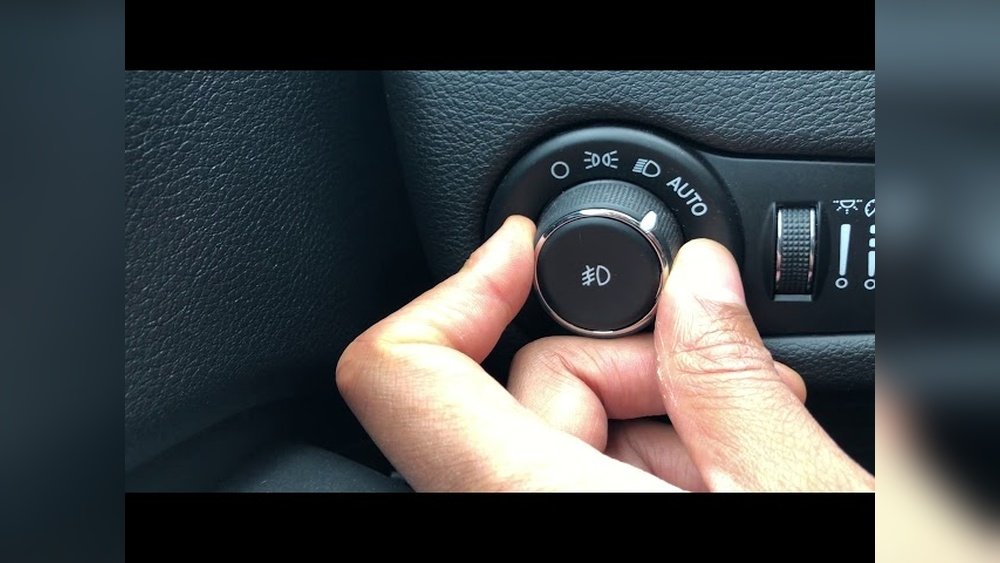
How to Turn Headlights off in Jeep Grand Cherokee Easily
 Reading Time: 7 minutes
 If you own a Jeep Grand Cherokee, you’ve probably noticed the headlights sometimes stay on when you don’t want them to. Maybe you’re at a drive-in, waiting in the car at night, or simply want to save your battery. Figuring out how to turn off your headlights isn’t always clear—especially with different models and automatic lighting systems. This guide makes it simple. You’ll learn every method, get step-by-step instructions, and understand why your headlights behave the way they do. Whether your Grand Cherokee is brand new or an older model, this article has the answers you need.
Understanding Your Jeep Grand Cherokee’s Headlight System
The headlight system in the Jeep Grand Cherokee has changed over the years. Some models use a manual switch, while newer ones have automatic features. Knowing your system is the first step.
Key Types Of Headlight Controls
- Manual switch: You turn headlights on or off by rotating a knob.
- Automatic headlights: Headlights turn on or off based on outside light.
- Daytime running lights (DRLs): These are always on when the car is running for safety.
Most Grand Cherokees after 2011 include automatic headlights and DRLs. However, you may also find basic manual systems in older vehicles.
Why Do Headlights Stay On?
- Automatic systems wait a few seconds after you exit before turning off.
- DRLs may not turn off unless you take specific steps.
- Some settings or electrical issues can keep lights on.
Knowing your system helps you control the lights properly.
How To Turn Off Headlights: Step-by-step Instructions
Turning off headlights in a Jeep Grand Cherokee depends on the model year and type of switch. Let’s break it down for both manual and automatic systems.
For Manual Headlight Systems
- Locate the headlight knob. It’s usually on the left side of the dashboard near the steering wheel.
- Turn the knob to “O” or “Off.” This will shut off the headlights.
- Double-check by looking at the dashboard. The headlight symbol should disappear.
Older Jeep Grand Cherokees (before 2011) mostly use this system.
For Automatic Headlight Systems
- Find the headlight control dial. It’s often labeled with symbols for “Auto,” “On,” and “Off.”
- Turn the dial to “Off.” This disables automatic mode and turns off the headlights.
- Wait a few seconds. Some models keep lights on for a short delay (15–90 seconds).
- Check the lights outside. Make sure both headlights and DRLs are off.
For Daytime Running Lights (drls)
Turning off DRLs can be tricky. Many models keep DRLs on for safety. Try these steps:
- Set the parking brake before starting the engine. In most Grand Cherokees, this disables DRLs.
- Switch the headlight control to “Off.” Sometimes this works, but not always with newer models.
- Consult your owner’s manual. Some models allow you to disable DRLs through the vehicle’s settings.
Note: In some regions, DRLs are required by law and may not be fully disabled.
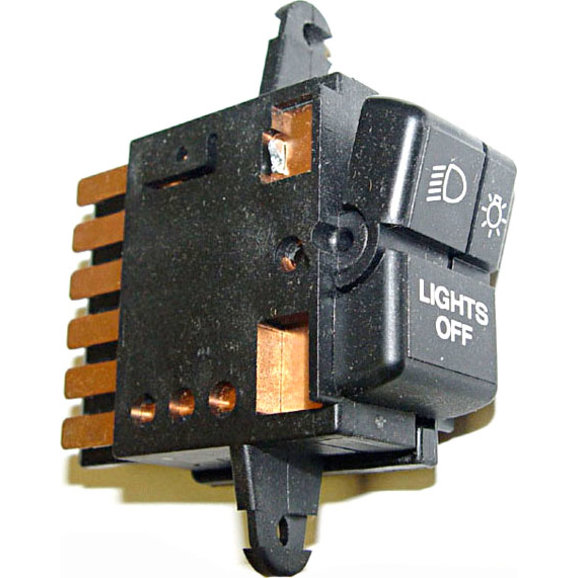
Credit: www.quadratec.com
Turning Off Headlights In Different Jeep Grand Cherokee Model Years
Each model year has its own quirks. Here’s a quick comparison to help you:
| Model Year | Headlight Control Type | DRL Disable Option |
|---|---|---|
| 2005–2010 | Manual | Yes (parking brake) |
| 2011–2019 | Automatic | Limited (settings/parking brake) |
| 2020–2023 | Advanced Automatic | Rare (dealer/programming) |
Example: If you have a 2015 Grand Cherokee, you’ll mainly use the automatic dial and might need the parking brake to disable DRLs.
Headlights Not Turning Off? Common Causes And Fixes
Sometimes, headlights stay on even after you follow the steps. Here’s why this happens and how to solve it.
Common Causes
- Headlight switch not fully in “Off” position
- Automatic delay feature
- DRLs always active
- Faulty headlight relay or sensor
- Problem with the “follow-me-home” feature
How To Fix
- Check the dial again. Make sure it’s fully set to “Off.”
- Wait for the delay. Automatic systems often have a timer.
- Set the parking brake. This can turn off DRLs.
- Turn off the engine and open the driver’s door. Some Grand Cherokees only turn off headlights when the door opens.
- Inspect fuses and relays. If lights stay on with everything off, a faulty relay could be the reason.

Credit: www.jeepgarage.org
Using The Uconnect System To Control Headlights
Many newer Jeep Grand Cherokees use the Uconnect infotainment system for vehicle settings. You can sometimes adjust headlight behavior through the touchscreen.
Steps To Adjust Headlight Settings
- Turn on the ignition (do not start the engine).
- Tap the “Settings” icon on the Uconnect screen.
- Select “Lights.”
- Adjust settings for “Headlight Off Delay” or “Auto High Beams.”
- Save and exit.
Tip: Not all features are available in every model. Check your manual for details.
Disabling “follow-me-home” Headlight Feature
The follow-me-home feature keeps headlights on for a short time after you lock the car. It’s helpful but sometimes annoying.
How To Turn Off
- Use the Uconnect settings menu. Look for “Headlight Off Delay” or “Follow-Me-Home.”
- Reduce the delay to zero or disable the feature.
If you can’t find this setting, your vehicle may not allow changes without a dealership tool.

Credit: www.youtube.com
Jeep Grand Cherokee Headlights: Automatic Vs Manual
Let’s compare automatic and manual headlight systems in the Grand Cherokee.
| Feature | Automatic | Manual |
|---|---|---|
| Control Method | Light sensor / dial | Rotary switch |
| DRL Handling | Often always on | Can disable with parking brake |
| Headlight Delay | Yes (adjustable) | No |
| Customization | Through Uconnect/settings | Not available |
Insight: Automatic headlights are convenient but less flexible for full control. Manual systems let you turn everything off, but you must remember to turn them back on.
Advanced Tips And Common Mistakes
Most owners only use the main dial, but there are extra tricks and pitfalls:
Two Non-obvious Insights
- The parking brake trick: Engaging the parking brake before starting the car can disable DRLs—even in many newer models. Many owners miss this, leading them to believe DRLs can never be disabled.
- Headlight “Off” isn’t always off: In automatic systems, turning the dial to “Off” often just disables the sensor, but DRLs or other lights may remain on. Always check outside the vehicle.
Common Mistakes
- Leaving the car running: Headlights and DRLs often stay on if the engine is running, even with the dial in “Off.”
- Not checking both settings: Some models need both the dial and the Uconnect system to be set for lights to turn off.
- Forgetting about delay timers: Many drivers think lights won’t turn off, but just need to wait for the timer.
Tip: If you’re watching a movie in your car, always set the parking brake and turn the dial to “Off.” This usually shuts off all lights.
When To Visit The Dealership
Some headlight issues can’t be fixed at home. You should see your dealer if:
- Headlights stay on all night, even after following every step.
- DRLs can’t be disabled, but you need them off (for car shipping or repairs).
- Error messages appear on the dashboard about lighting systems.
Dealerships have tools to program advanced settings or fix electrical faults.
Real-world Example: 2018 Jeep Grand Cherokee
Suppose you have a 2018 model. Here’s what to do:
- Turn the dial to “Off.”
- Wait 30 seconds. Lights should go out.
- DRLs still on? Engage the parking brake before starting.
- Still problems? Try Uconnect: Settings > Lights > Adjust delay.
If nothing works, you may need a dealer to change software settings. Many owners ask about this issue on forums, and it’s a common topic in the Jeep community.
Quick Reference: Headlight Control Symbols
Many people get confused by the dashboard symbols. Here’s a guide:
| Symbol | Meaning |
|---|---|
| O | Off |
| Circle with rays | Headlights On |
| “A” with rays | Automatic Headlights |
| “DRL” | Daytime Running Lights |
Knowing these symbols makes it easier to use your headlights correctly.
Helpful Resources
If you want more official details, check the Jeep owner’s manual or visit the Jeep Owners Site. Here you’ll find manuals, recall info, and contact support for your specific model.
Frequently Asked Questions
How Do I Turn Off Daytime Running Lights On My Jeep Grand Cherokee?
In most models, set the parking brake before starting the engine. This often disables daytime running lights. For newer models, check the Uconnect settings or ask your dealer.
Why Won’t My Headlights Turn Off After I Park?
Automatic headlights usually have a delay (15–90 seconds) before turning off. If they stay on longer, check the headlight control dial, make sure all doors are closed, and consult your manual.
Can I Disable The Automatic Headlight Feature?
You can set the control dial to “Off” to disable automatic headlights. However, DRLs may still stay on. Full deactivation may need dealer programming.
Are There Legal Issues With Turning Off Drls?
In some areas, driving without DRLs is illegal. Always check local laws before disabling safety features.
What If None Of The Steps Work?
If your headlights or DRLs refuse to turn off, there may be a relay or sensor problem. Visit your dealership or a trusted mechanic for a full electrical inspection.
Whether you’re watching a movie, waiting in your car, or simply want full control, learning to turn off your Jeep Grand Cherokee’s headlights is simple when you know the right steps. By understanding your vehicle’s system and using these practical tips, you can avoid battery drain and stay safe.
With this guide, you’re now ready to handle your headlights in any situation.


