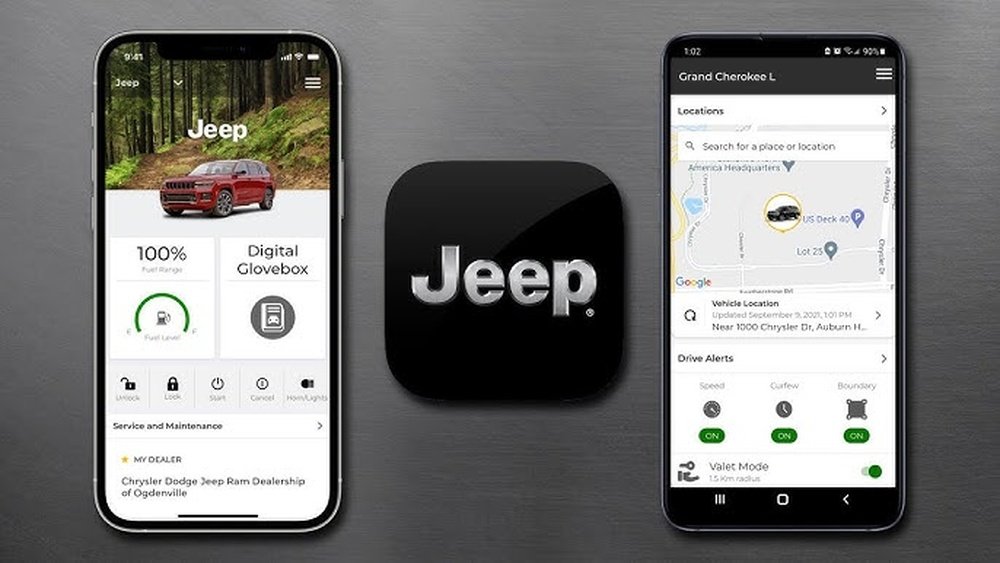
How to Connect Jeep to Jeep App: Step-by-Step Guide
 Reading Time: 8 minutes
 Connecting your Jeep vehicle to the Jeep App can make your driving life easier, safer, and more connected. Many new Jeep owners do not realize all the features they can unlock, like remote start, vehicle health reports, and easy access to help. If you just bought a Jeep, or you’ve never used the Jeep App before, you might feel confused about the steps. This guide will help you connect your Jeep to the app in a simple, beginner-friendly way.
What Is The Jeep App?
The Jeep App is a smartphone application made by Jeep for its customers. It lets you control and monitor many functions of your vehicle from your mobile device. You can:
- Start your vehicle remotely
- Lock or unlock your doors
- Find your car in a parking lot
- Check fuel and tire pressure
- Schedule service appointments
The app works on most modern Jeep models, but some features require a subscription or extra package. Always check if your vehicle supports the Jeep App before starting the process.
Why Connect Your Jeep To The Jeep App?
Many drivers ask, “Is it really worth connecting my Jeep to the app?” The answer is usually yes, for these reasons:
- Security: Get alerts if your car is unlocked or moved.
- Convenience: Start your car from your house on a cold morning.
- Maintenance: See warning lights, oil levels, and get reminders.
- Location tracking: Never lose your Jeep in a big parking lot.
For example, a survey by Stellantis (Jeep’s parent company) found that 70% of new Jeep owners use the app at least once a week. The most popular features are remote start, lock/unlock, and vehicle location.
What You Need Before You Start
Before connecting, make sure you have:
- A compatible Jeep vehicle (check your owner’s manual or Jeep’s website)
- A smartphone (iOS or Android)
- Your Jeep’s Vehicle Identification Number (VIN)
- An active mobile data connection
- An email address for creating your Jeep app account
If your Jeep is a 2018 model or newer, it probably supports the Jeep App. Models like the Jeep Grand Cherokee, Wrangler, Compass, and Renegade usually have this feature.
Step-by-step: How To Connect Jeep To Jeep App
Let’s walk through the process, step by step.
1. Download The Jeep App
- Go to the App Store (iPhone) or Google Play (Android).
- Search for Jeep App or Jeep Connect.
- Download and install the app on your device.
2. Create A Jeep App Account
- Open the app.
- Tap Sign Up or Create Account.
- Enter your email, create a password, and fill in your details.
- Verify your email address by clicking the link Jeep sends you.
3. Add Your Vehicle
- Log in to the app.
- Tap Add Vehicle.
- Enter your VIN (found on your dashboard, door, or vehicle papers).
- Confirm the details. The app will try to connect to your Jeep’s onboard system.
4. Pair Your Phone With Your Jeep
Some Jeep models require Bluetooth pairing for full features.
- Turn on your Jeep’s ignition.
- Open the app and select Pair with Vehicle.
- On your Jeep’s Uconnect screen, go to Phone or Settings > Pair New Device.
- Choose your phone from the list.
- Enter the code shown on your Jeep’s screen into your app.
- Wait for confirmation.
5. Activate Connected Services
- Some features, like remote start or vehicle location, need activation.
- In the app, choose Activate Services.
- Agree to terms and conditions.
- Your Jeep may send a code to your app or display it on the car’s screen. Enter the code.
- Wait for the app to confirm activation.
6. Test Your Features
- Try remote start, lock/unlock, or vehicle status.
- If something does not work, restart your phone and Jeep, or repeat the pairing steps.
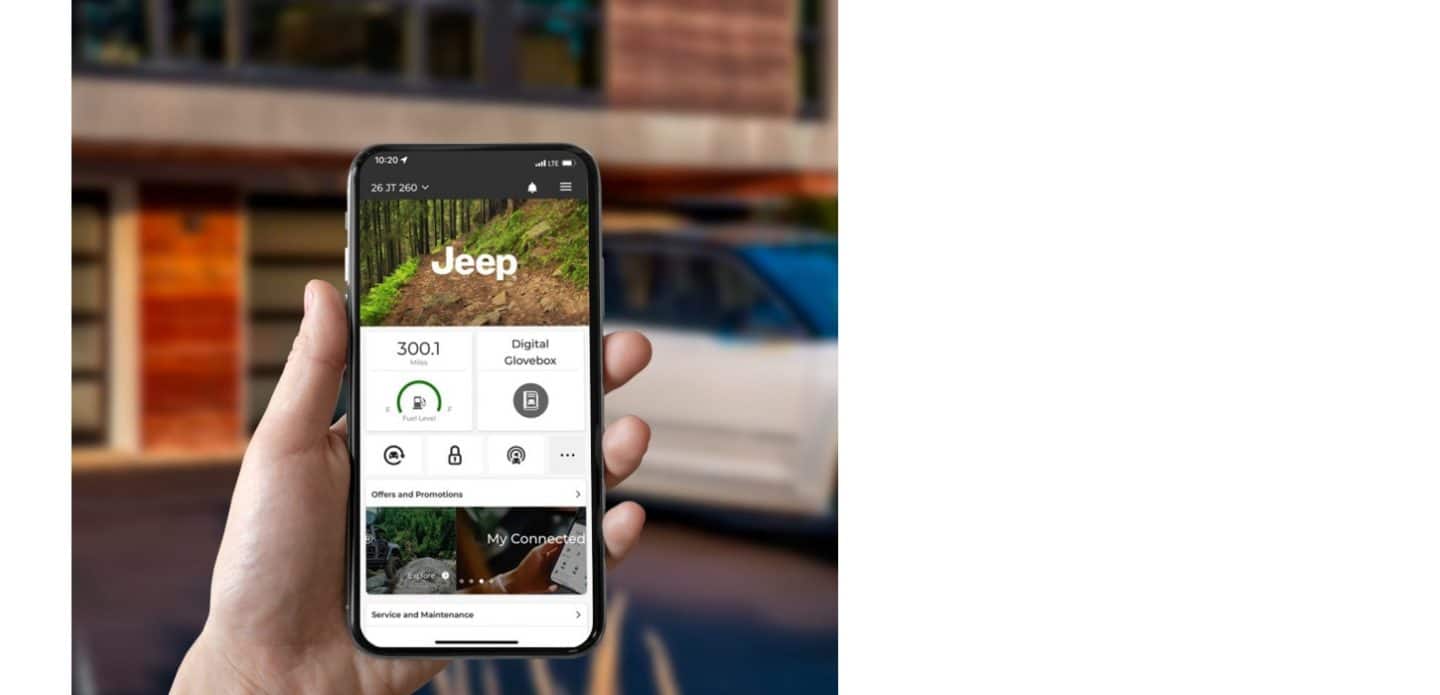
Credit: www.jeep.com
Common Problems And Solutions
Even if you follow every step, some users face issues. Here are common problems and how to fix them:
- App does not find your Jeep: Check your internet connection and VIN entry.
- Bluetooth pairing fails: Restart both your Jeep and phone. Try deleting old Bluetooth devices.
- Features not working: Make sure you have an active Jeep Connected Services subscription.
- App crashes or lags: Update to the latest app version.
If you continue to have problems, visit a Jeep dealer or contact Jeep support.
Jeep App Feature Comparison By Model
Not every Jeep model offers the same app features. Here’s a quick comparison of popular models:
| Feature | Grand Cherokee | Wrangler | Renegade | Compass |
|---|---|---|---|---|
| Remote Start | Yes | Yes | Optional | Optional |
| Lock/Unlock | Yes | Yes | Yes | Yes |
| Vehicle Location | Yes | Yes | No | Optional |
| Maintenance Alerts | Yes | Optional | No | Optional |
This table helps you see at a glance if your model supports the feature you want. Always check your Jeep’s package and trim for exact details.
Practical Tips For Smooth Setup
Setting up the Jeep App can be easy if you follow these tips:
- Use strong Wi-Fi or cellular data during setup.
- Have your VIN ready before starting.
- Update your phone’s operating system for best compatibility.
- Install the latest Jeep App version from the app store.
- Sit inside your vehicle for Bluetooth pairing.
Some users make the mistake of trying to connect without being near their Jeep or using an old phone. This often leads to errors.
Jeep App Subscription And Costs
Most new Jeeps come with a trial period (often 6–12 months) of connected services. After that, you may need to pay for advanced features.
Here’s a sample cost breakdown:
| Service | Trial Period | Monthly Cost | Key Features |
|---|---|---|---|
| Basic App Access | 12 months | Free | Lock/Unlock, Status |
| Remote Services | 6 months | $14.99 | Remote Start, Find Vehicle |
| Premium Package | 3 months | $24.99 | All features, Alerts |
Prices can change, and some dealers offer discounts. Always check the latest details before buying a subscription.

Credit: www.youtube.com
Example: Connecting A 2022 Jeep Wrangler
Let’s see a real-life example. Sarah bought a 2022 Jeep Wrangler. She wanted to use remote start and check her tire pressure from her phone.
- She downloaded the Jeep App on her iPhone.
- She found her VIN on her insurance card.
- She created an account and added her Wrangler.
- She paired her phone using Bluetooth inside her Jeep.
- She activated her trial subscription for Connected Services.
- Now, she can start her Jeep in winter mornings and gets alerts if her tires are low.
Sarah’s experience shows that the process is simple if you follow each step and have your information ready.
Security And Privacy
Some drivers worry about sharing their car’s data with an app. Jeep uses strong security protocols to protect your information. Data is encrypted, and you control who has access.
- Only you (and authorized users you add) can control your Jeep from the app.
- You can turn off data sharing at any time in the app’s settings.
- If you sell your Jeep, remember to remove your account access.
For more details on Jeep’s privacy policy, see their official website or Jeep Connectivity.
Non-obvious Insights For Beginners
Many first-time users miss these useful details:
- Multiple users: You can add family members or friends to your Jeep App account. This is great for shared vehicles.
- App controls not equal to key fob: Some features, like remote start, work only in certain areas or times (for example, you may need to be within a mile of your Jeep). The app will let you know if you are too far.
- Automatic updates: The app and your vehicle’s system may update automatically. If something stops working, check for updates before calling support.
- Location tracking: If you use location features, make sure your phone’s GPS and data are turned on. Otherwise, the app can’t find your Jeep.
- Subscription lapses: If your paid subscription ends, you lose advanced features, but basic ones (like viewing vehicle status) may still work.
How Jeep App Improves Everyday Use
Let’s look at some real-life situations where the Jeep App helps:
- Winter mornings: Start your Jeep and warm it up before going outside.
- Busy parking lots: Find your Jeep quickly with the app’s locator.
- Family trips: Get alerts if a door is left open or a tire needs air.
- Service reminders: Get notified when it’s time for an oil change or checkup.
These small conveniences can save you time and stress, especially if you use your Jeep every day.

Credit: www.4xeforums.com
Jeep App Vs. Competitor Apps
Jeep is not the only car brand with a smartphone app. Here’s a quick comparison:
| Brand | App Name | Remote Start | Vehicle Location | Subscription Needed? |
|---|---|---|---|---|
| Jeep | Jeep App | Yes | Yes | Some features |
| Ford | FordPass | Yes | Yes | No (basic) |
| Toyota | Toyota App | Optional | Optional | Yes |
| Chevrolet | myChevrolet | Yes | Yes | Yes |
Jeep’s app is competitive, especially for owners who want remote features and maintenance alerts.
Frequently Asked Questions
How Do I Find My Jeep’s Vin?
Your VIN is a 17-character code found on your dashboard (near the windshield), inside the driver’s door, or on vehicle documents like your insurance or registration.
Can I Use The Jeep App On More Than One Phone?
Yes. You can log in with your account on multiple devices. You can also add family members or friends as additional users.
What Should I Do If The App Does Not Connect To My Jeep?
First, check your data and Bluetooth connection. Restart your phone and Jeep. Update the app. If it still fails, contact Jeep customer support or visit your dealer.
Does The Jeep App Work Outside The United States?
The app works in most countries, but some features may be limited due to local laws or network support. Check Jeep’s website for your region.
Is The Jeep App Free To Use?
Basic features are usually free for a trial period after purchase. Advanced features like remote start or live tracking may require a paid subscription.
Connecting your Jeep to the Jeep App is one of the best ways to enjoy your vehicle’s modern features. Whether you want more security, convenience, or peace of mind, following these clear steps can help you get started quickly. Remember, most problems are solved with a careful setup and checking for updates. Take a few minutes to connect your Jeep today—you’ll soon see how much easier and more enjoyable your driving experience can be.


