
How To Change Time On Jeep Compass: Easy Steps
 Reading Time: 6 minutes
 For most U.S. Jeep Compass models, you can change the clock through the Uconnect touchscreen: open Settings, choose Clock or Clock & Date, then select Set Time. Menu names vary by model year and radio, so use the clock button or your owner’s manual if your Compass does not have those options.
If your Compass offers automatic time setting, check the time zone and daylight saving settings before changing the clock by hand. For most U.S. drivers, the right setting can keep the clock accurate when the vehicle updates its time automatically.
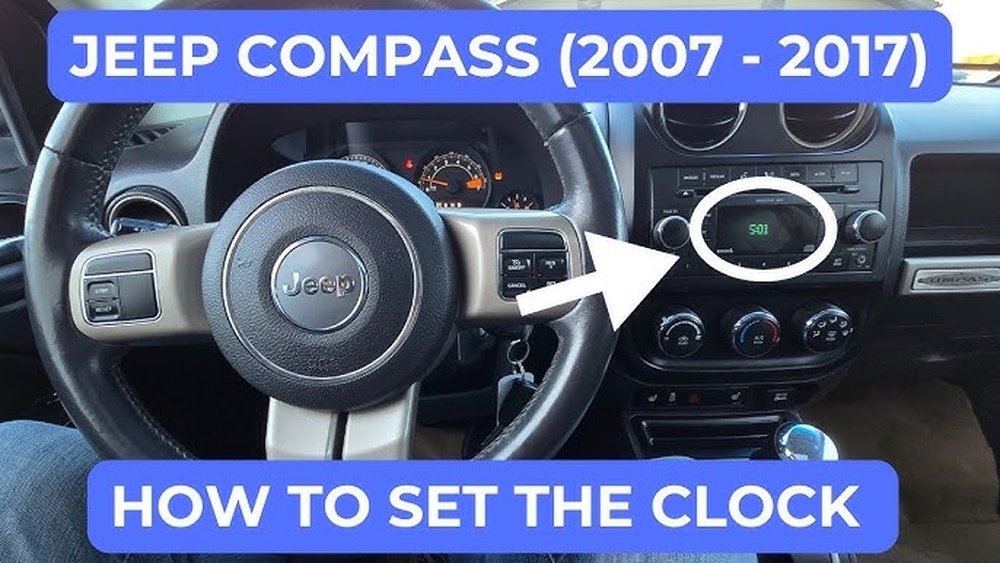
Change the time on a Jeep Compass with a touchscreen
Park the Compass before adjusting its settings. Turn the ignition on, or place the vehicle in the mode needed to power the radio, then follow the steps that match the menu on your screen.
- Tap Settings on the Uconnect screen.
- Tap Clock, Clock & Date, or a similar clock setting.
- Choose Set Time or Time.
- Adjust the hour and minutes using the on-screen controls.
- Choose 12-hour or 24-hour format if that option appears.
- Check whether Auto Time, GPS Time, or Set Time Automatically is on.
- Confirm the settings and return to the home screen.
The clock should show the new time on the touchscreen or instrument display. If it does not, wait a moment, then reopen the clock menu to check that the change saved.
If the time is off by exactly one hour, check the time zone and daylight saving setting before making another manual adjustment. Automatic time can overwrite a hand-set clock if the vehicle is set to use GPS or network time.

Find the clock setting on your Compass
The clock menu depends on the model year and the radio installed in the Compass. Some versions use a touchscreen menu, while others use physical radio buttons.
| What you see in the vehicle | Where to look |
|---|---|
| Touchscreen with a Settings icon | Open Settings, then look for Clock or Clock & Date |
| Older touchscreen menu | Open Settings and look for Clock, Time, or Set Time |
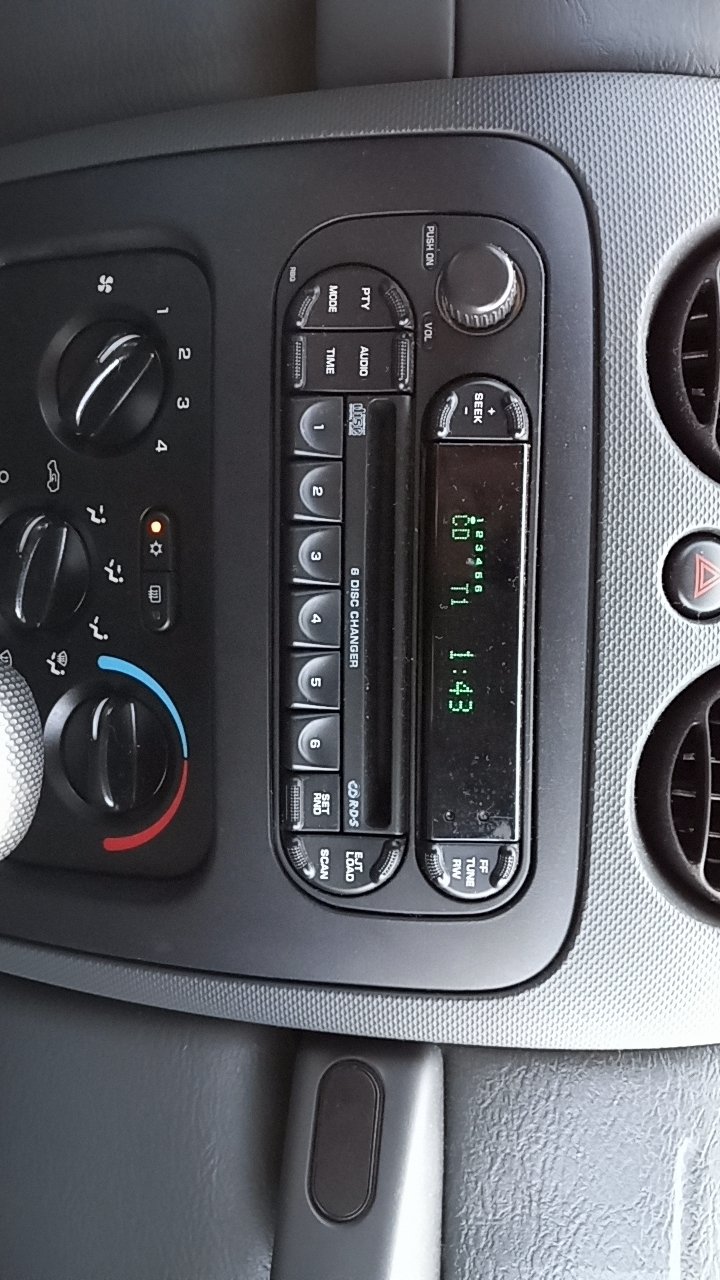
| Radio with a TIME or CLOCK button | Press the button and follow the radio’s prompts |
| Instrument-cluster display controlled by steering-wheel buttons | Use the cluster menu to look for Settings or Clock |
On a radio with a TIME or CLOCK button, the button may open the time-setting screen. Use the radio’s tuning, seek, or selection controls as shown on the display to change the hour and minutes. Button layouts differ, so do not force a control or assume that every Compass uses the same sequence.
If you cannot find the setting, check the owner’s manual for your Compass model year and radio. Jeep’s owner resources let you find vehicle information and manuals: Jeep Owners. Match the manual to your vehicle, since instructions for a different year or radio may not apply.

Set the time zone and daylight saving time
Check the time zone first if your Compass clock is wrong by one or more hours. Some systems use GPS or another automatic time source, while others need a manual time-zone selection.
If your Compass has automatic time enabled:
- Confirm the correct time zone is selected, if the menu offers that choice.
- Check the Daylight Saving Time setting, if present.
- Leave automatic time on if it keeps the clock correct in your area.
If you set the time manually, use the local time shown by a reliable clock, then check the display again after you restart the vehicle. The names and availability of these options vary by system.
Daylight saving rules are not the same in every U.S. location. If the clock changes at the wrong time, confirm the vehicle’s time zone and daylight saving setting rather than changing the clock repeatedly.

Troubleshoot a Jeep Compass clock that will not change
If the clock does not save the new time, first check whether automatic time is turned on. Then make sure you are changing the correct clock; some vehicles show time in more than one place, such as the radio screen and instrument cluster.
- The menu has no manual time option: Turn off automatic time if the system allows it, or check the owner’s manual for that radio.
- The time returns to the old setting: An automatic GPS or network setting may be restoring it. Check that setting and the time zone.
- The clock is wrong after the vehicle restarts: Repeat the setting process and confirm it saved. If the problem keeps returning, consult the manual or a Jeep service provider.
- The clock is blank or the radio will not turn on: Check the vehicle’s manual for the correct next step. Avoid removing fuses or disconnecting the battery just to reset the clock; those actions can affect other vehicle settings.
- The radio buttons do not match the instructions: Stop and look up the procedure for your model year and radio rather than trying random button combinations.
A time change should not require tools. If the radio or display has other faults, or the clock repeatedly resets, the issue may need diagnosis beyond a simple clock adjustment.
Frequently asked questions
Why is my Jeep Compass clock one hour off?
The time zone or daylight saving setting may be wrong. If automatic time is enabled, check those settings first; if you set the clock manually, compare it with local time and adjust it once.
Does a Jeep Compass set its clock automatically?
Some Compass systems offer automatic time through GPS or another built-in source. Availability and menu wording depend on the model year and radio. Look for Auto Time, GPS Time, or a similar setting.
How do I change the clock from 12-hour to 24-hour time?
Open the clock settings and look for Time Format, 12/24 Hour, or a similar option. Not every Compass radio offers both formats.
Why can’t I find “Clock” in Settings?
Your Compass may use a different menu name, a physical TIME or CLOCK button, or an instrument-cluster menu. Check the manual for your exact model year and radio.
Will changing the time affect other vehicle settings?
Changing the clock alone should only change the displayed time. Avoid resetting the radio or disconnecting the battery unless the owner’s manual or a qualified service provider recommends it for a specific problem.
Conclusion
To change the time on a Jeep Compass, start in Settings and look for Clock or Clock & Date. If those options are not on your screen, use the radio’s clock controls or the owner’s manual for your model year. Check automatic time, the time zone, and daylight saving settings if the clock keeps showing the wrong time.